Your customers, deals and bookings in one place.
Velvet is Vuuv's CRM on its own, with no bookkeeping to set up. Start each day with the follow-ups that are due and the bookings coming up, keep each deal in its stage, and let customers book a time on your own booking page.
30 days free, no card to start. Then $8 per business, per month.
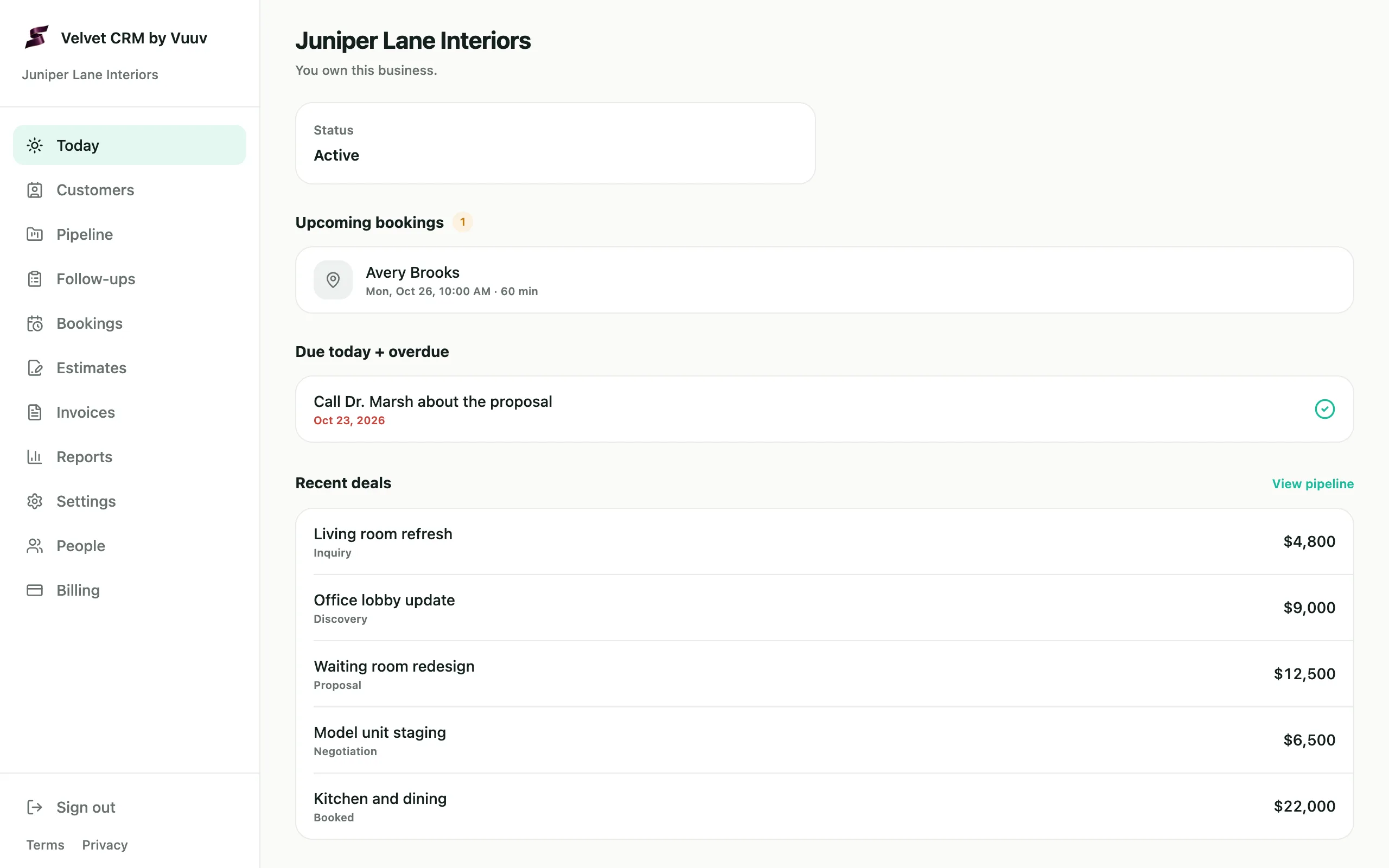
Start each day with what needs you.
Today shows the bookings coming up, the follow-ups due today or overdue, the deals that moved this week and the latest activity.
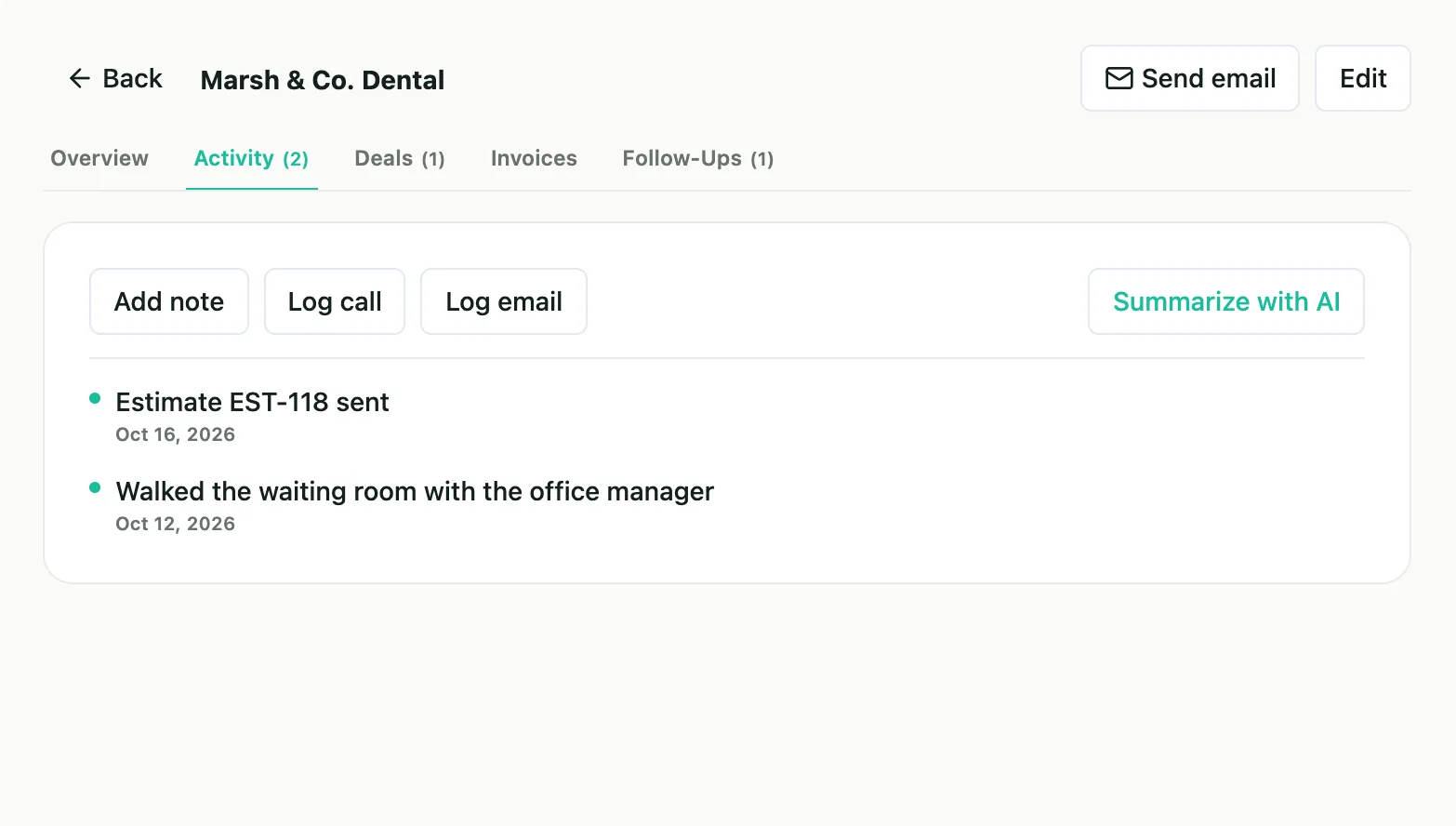
- Follow-ups with a date. Give each one a title, a note and a due date, and tie it to a customer.
- Done in one click. Mark a follow-up done on Today or on the Follow-ups page.
- Overdue at a glance. Filter the list to what's pending, overdue or done.
- A daily email. On a day with follow-ups due or overdue, you get an email listing them.
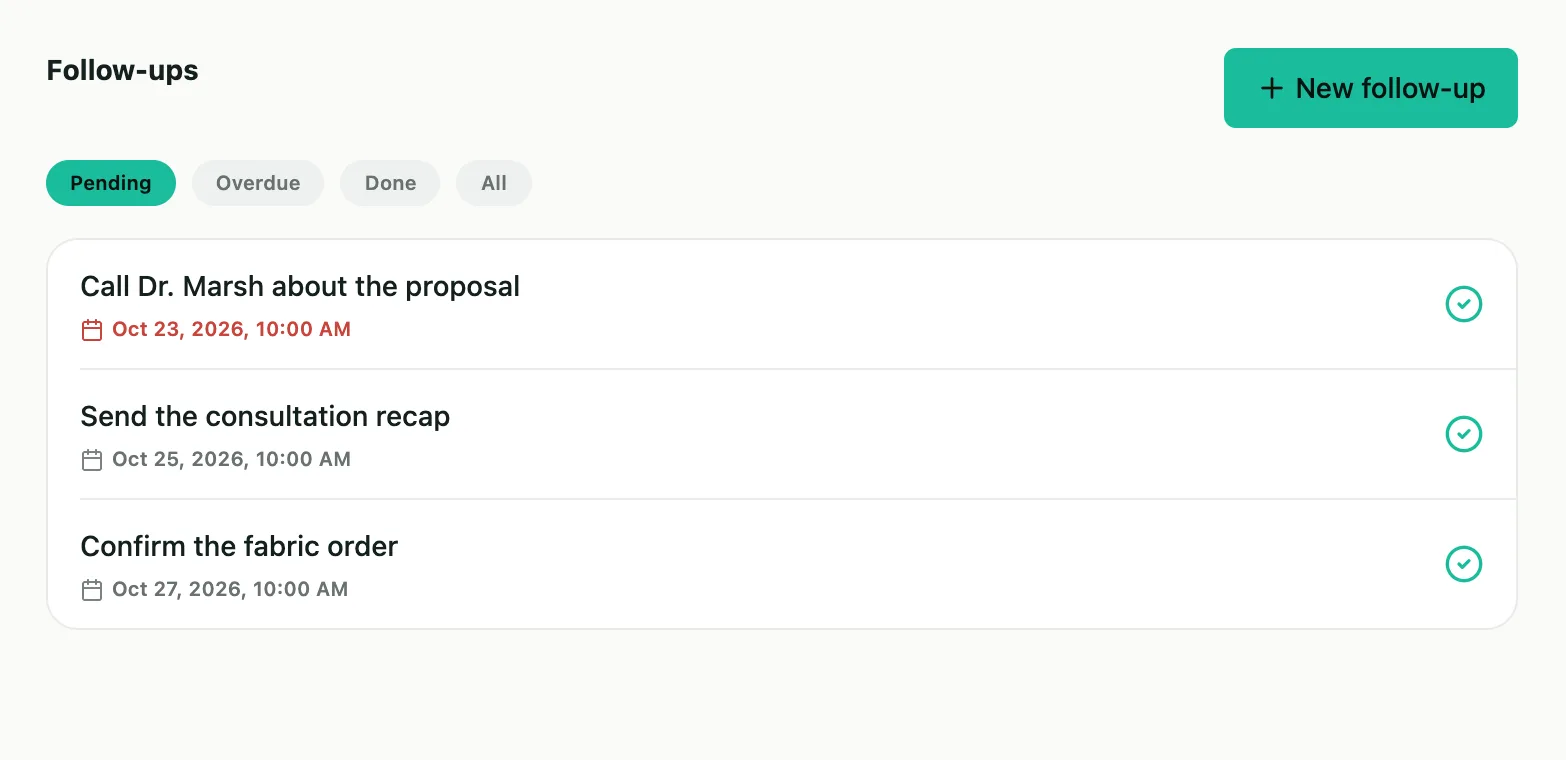
Every deal by stage.
Your pipeline shows each open deal in its stage, so you can see what is close to closing.
- The stages. Inquiry, discovery, proposal, negotiating and booked, then won or lost.
- Drag to move. Drag a deal from one stage to the next, or use its Move menu.
- The month in numbers. Open deals and their value, deals won and lost this month, and the month's win rate.
- Deals from bookings. Each booking from your booking page starts a deal at Inquiry.
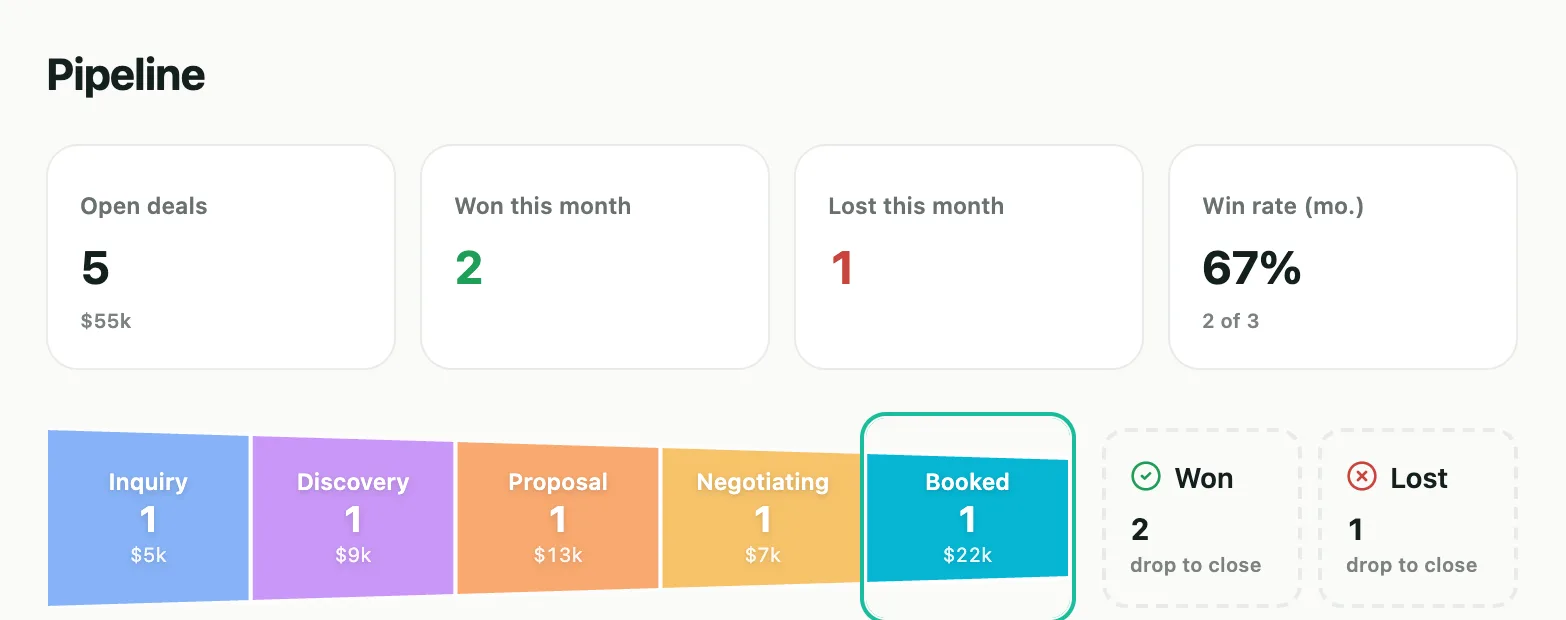
One page per customer.
A customer's contacts, deals, follow-ups and activity are all on one page.
- Where each customer stands. Lead, quoted, active, done, repeat or lost. Search the list, or filter it by status.
- Everyone you deal with. Add a customer's contacts with their title, email and phone, and mark the main one.
- Notes, calls and emails. Log them on the customer's timeline, or send an email from the page and it's logged there too.
- Catch up with AI. Summarize with AI reads a customer's recent activity and sums it up in a few sentences.
- Fields of your own. Add custom fields to every customer: text, numbers or dates.
Bookings from your own booking page.
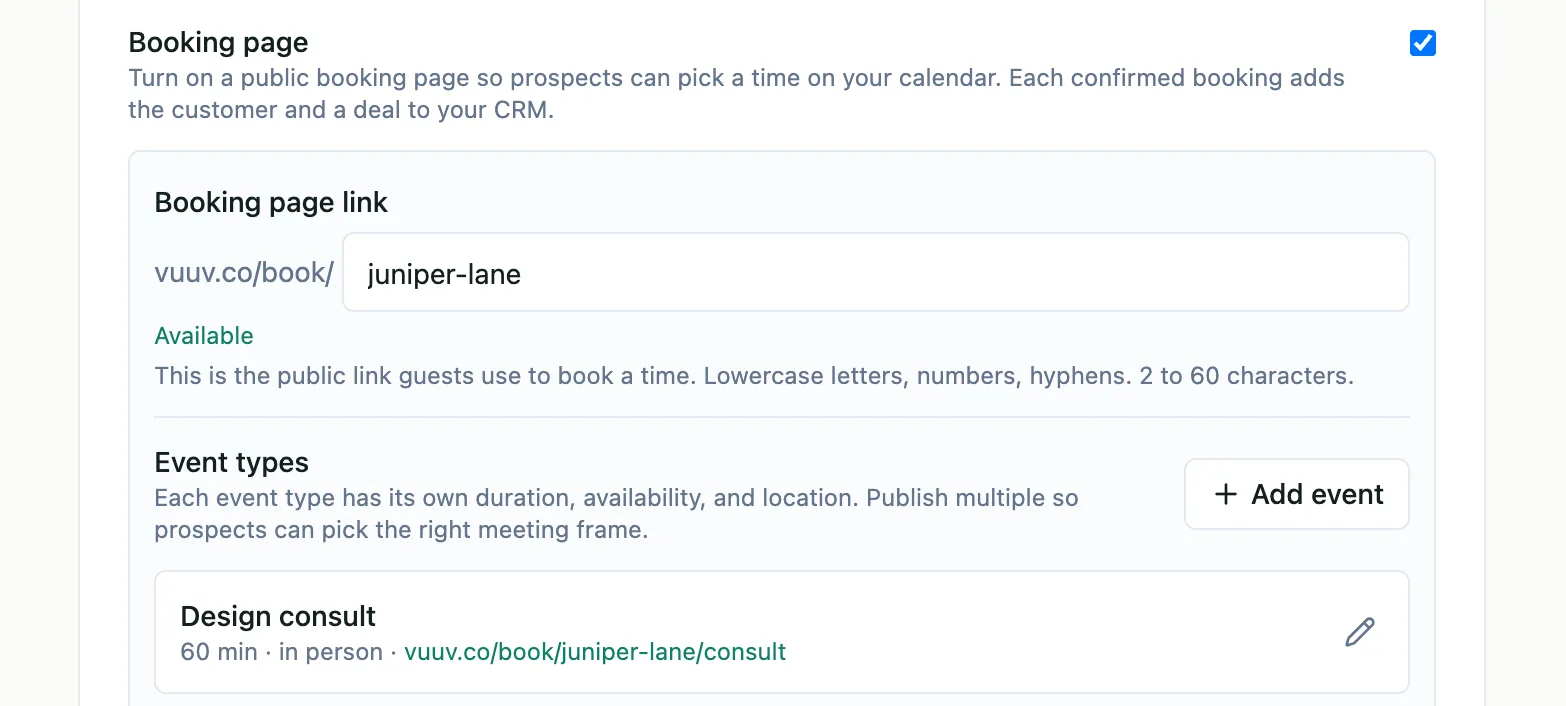
Customers pick a time on your booking page, and each booking adds a deal, plus a customer if they're new to you.
- Your page, your link. Your booking page is at vuuv.co/book/ followed by a name you pick. Each kind of meeting has its own length, hours and place.
- Emails for your customer. A confirmation with links to reschedule or cancel, and a reminder the day before.
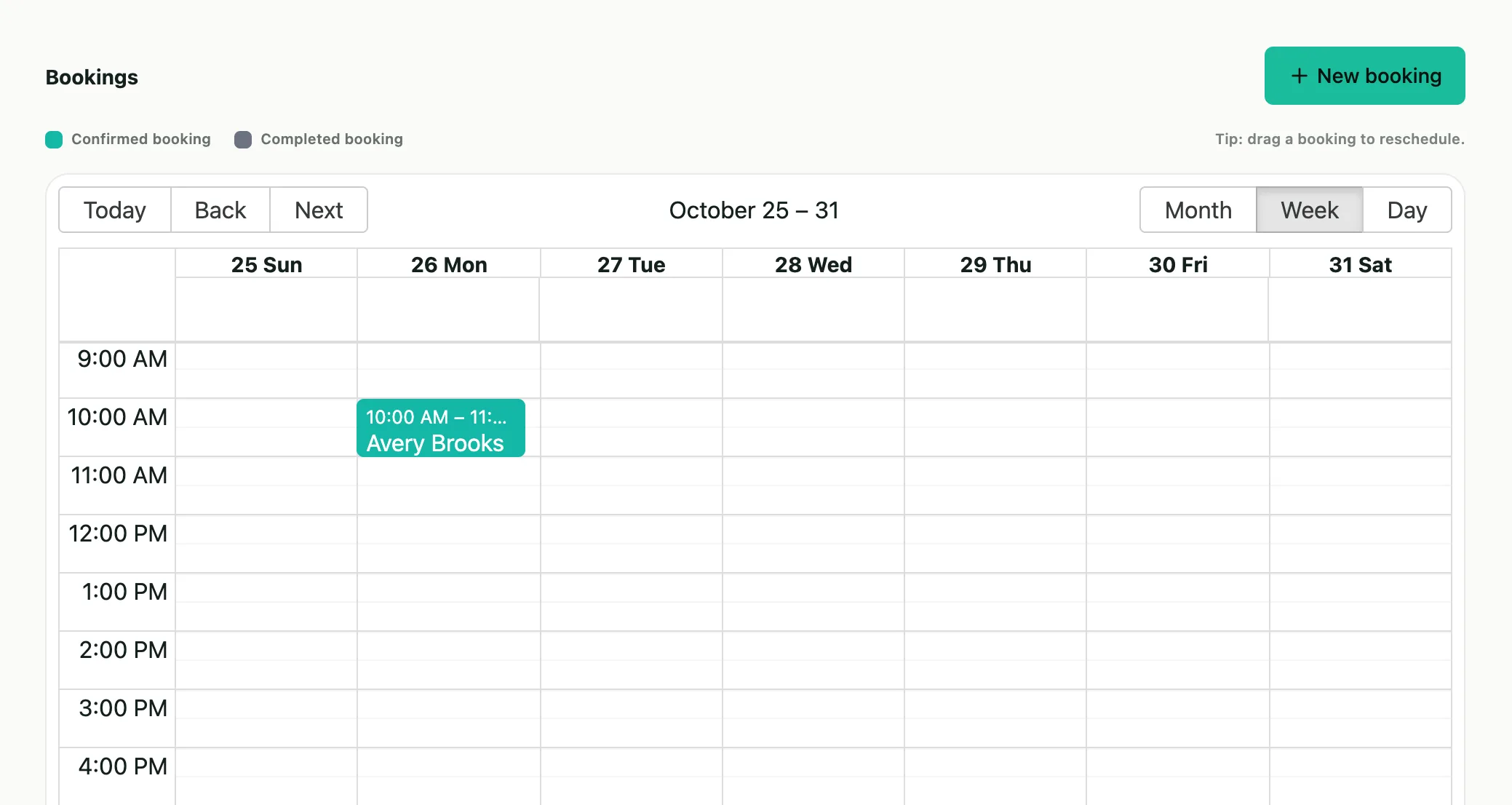
- A calendar of bookings. See them by month, week or day. Drag one to a new time, and your customer gets an email about it.
- Google Calendar or Outlook. Connect one, and each booking goes onto it, while your busy times are blocked on the booking page.
From estimate to paid invoice.
Send an estimate, turn it into an invoice when your customer says yes, and see how the business is doing in Reports.
Estimates by email
Add the lines, sales tax, scope of work, notes and terms, and set when it expires. Velvet emails it to your customer as a PDF.
A yes becomes an invoice
Mark a sent estimate accepted or declined. Turn an accepted one into an invoice, or ask for a deposit first.
Invoices and payments
Send an invoice by email with a PDF attached. Record a payment by check or cash; when the invoice has the customer's email, they get an emailed receipt.
Reports
Pick a range of days to see closed deals, lead sources, follow-ups, bookings, revenue and what customers owe, each beside the period before. Download any section as a CSV file.
Bring your team in as admins.
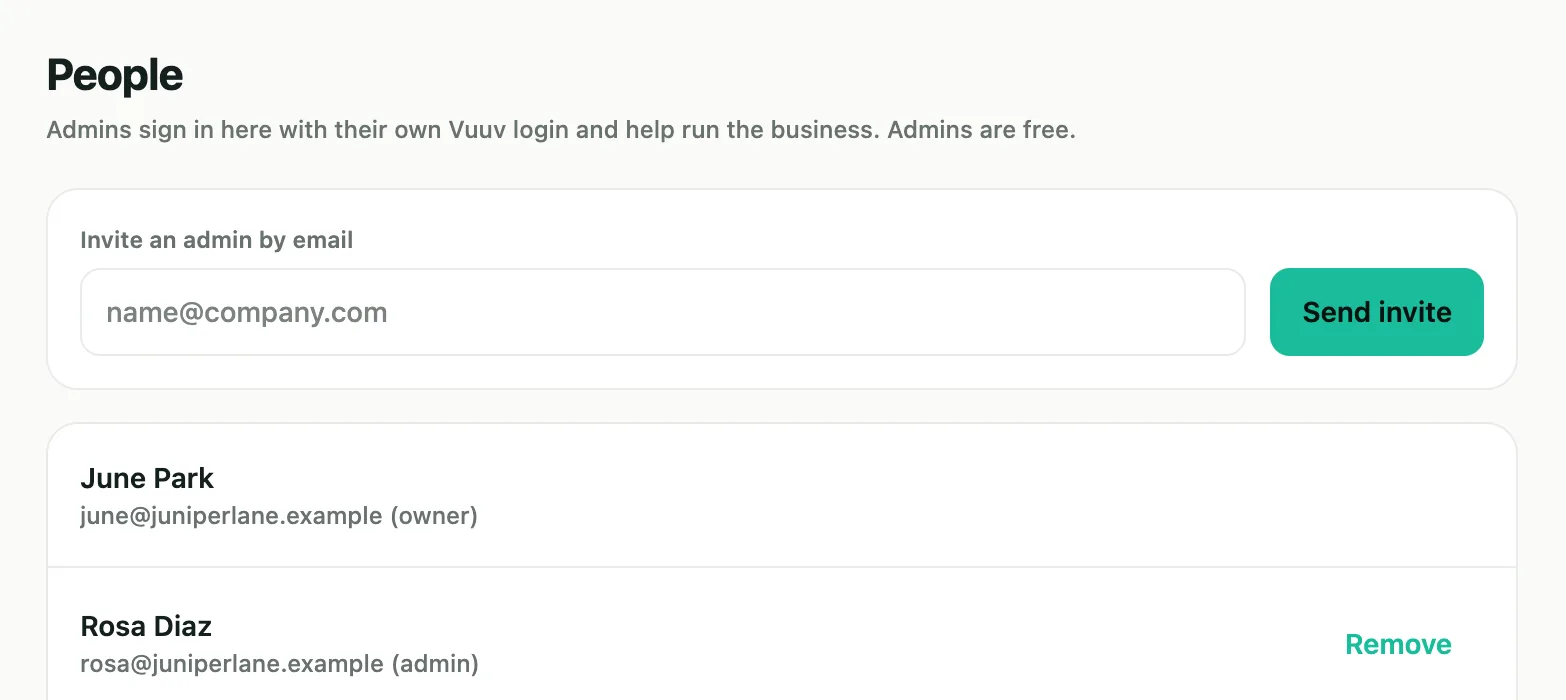
Admins sign in with their own Vuuv login and help run the business. Admins are free.
- Invite by email. Send an invite from the People page. They accept it with their own Vuuv login, using the email address the invite went to.
- Your banking stays yours. Velvet shows admins your customers, deals, follow-ups, bookings, estimates and invoices, never your bank accounts or transactions.
- The plan stays with you. Only the owner sees what Velvet costs, changes the plan or cancels it.
- Change your mind. Remove an admin, or cancel an invite that hasn't been accepted.
On its own, or with the rest of Vuuv.
Velvet doesn't need Vuuv's bookkeeping. Your customers are kept in your Vuuv account, so they are already there if you add the books later.
Any kind of business
Velvet works with every type of business, and there are no books to set up.
A plan for each business
Turn Velvet on for each business you run. Each one has its own plan, admins and booking page.
Already on Vuuv?
Sign in with your Vuuv login and turn Velvet on for one of your businesses. Its customers come with it.
Add the books later
Vuuv Pro and Elite read the same customers, and a paid Pro or Elite plan includes Velvet.
One price for each business.
- 30-day free trial, and no card to start it
- Add a card when it's time to pay
- Admins are free
- Cancel any time on the Billing page
On Vuuv Pro or Elite?Velvet is included with your paid plan, but not during its free trial.See Vuuv plans
Questions owners ask.
- Do I need Vuuv's bookkeeping?
- No. Velvet works on its own, for any kind of business. Your customers are kept in your Vuuv account, so they are already there if you add Vuuv Pro or Elite later.
- Who signs in?
- You, and the admins you invite by email. Each of you signs in at velvet.vuuv.co with your own Vuuv login. Admins are free.
- What stays with the owner?
- Billing, canceling the plan and connecting the business's Google or Outlook calendar. Admins help with your customers, deals, follow-ups, bookings, estimates and invoices, and never see your bank accounts or transactions.
- How does the booking page work?
- Turn it on in Settings, pick a name for its link and add what customers can book. They book at vuuv.co/book/ followed by that name, then get a confirmation email with links to reschedule or cancel, and a reminder the day before.
- What happens when the trial ends?
- Add a card to keep Velvet for that business at $8 a month. Without one, new work stays on for 7 more days, and then Velvet is read-only for that business. Your customers and deals stay, and nothing is deleted.
- Is the free trial for each business?
- No, the 30-day trial is once per person. For another business, Velvet starts when you start its $8 plan.
- Is Velvet included with Vuuv Pro or Elite?
- Yes, with a paid Pro or Elite plan, but not during that plan's free trial.
- Can I cancel?
- Yes. The owner cancels on the Billing page, and Velvet stays on until the end of the current billing period. After that it is read-only for that business, and nothing is deleted.
Try Velvet free for 30 days.
Add your customers, set up your booking page and invite your admins. No card to start.