Mileage reimbursement for enterprise teams.
Vuuv Driven tracks mileage automatically on your employees' phones. They mark what's business, you approve it, and payroll gets one file with every approved drive and reimbursement totals, at the IRS rate or yours.
30 days free, no card to start. Then $6 per driver, per month.
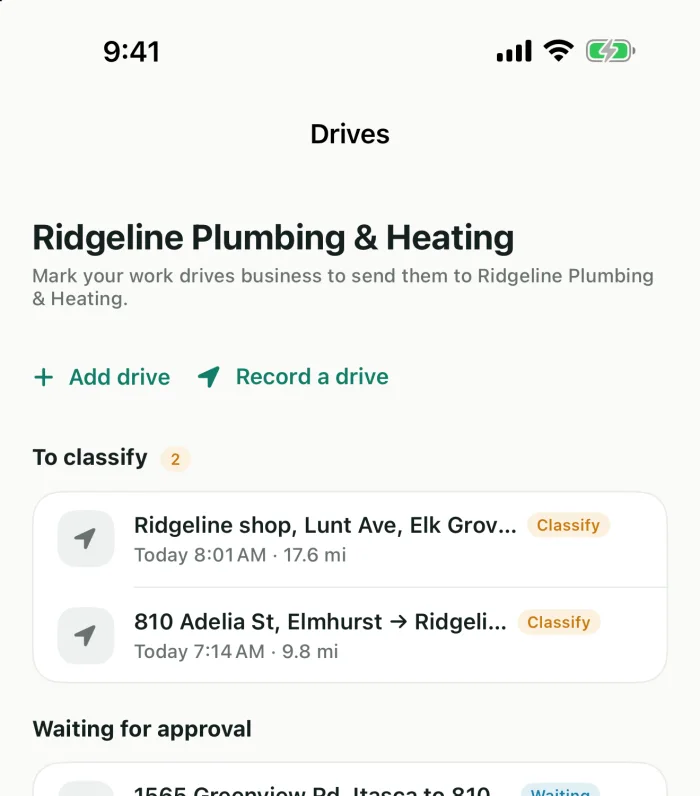
From the first mile to payroll.
Drivers use the app on their phones. You work from driven.vuuv.co in a browser.
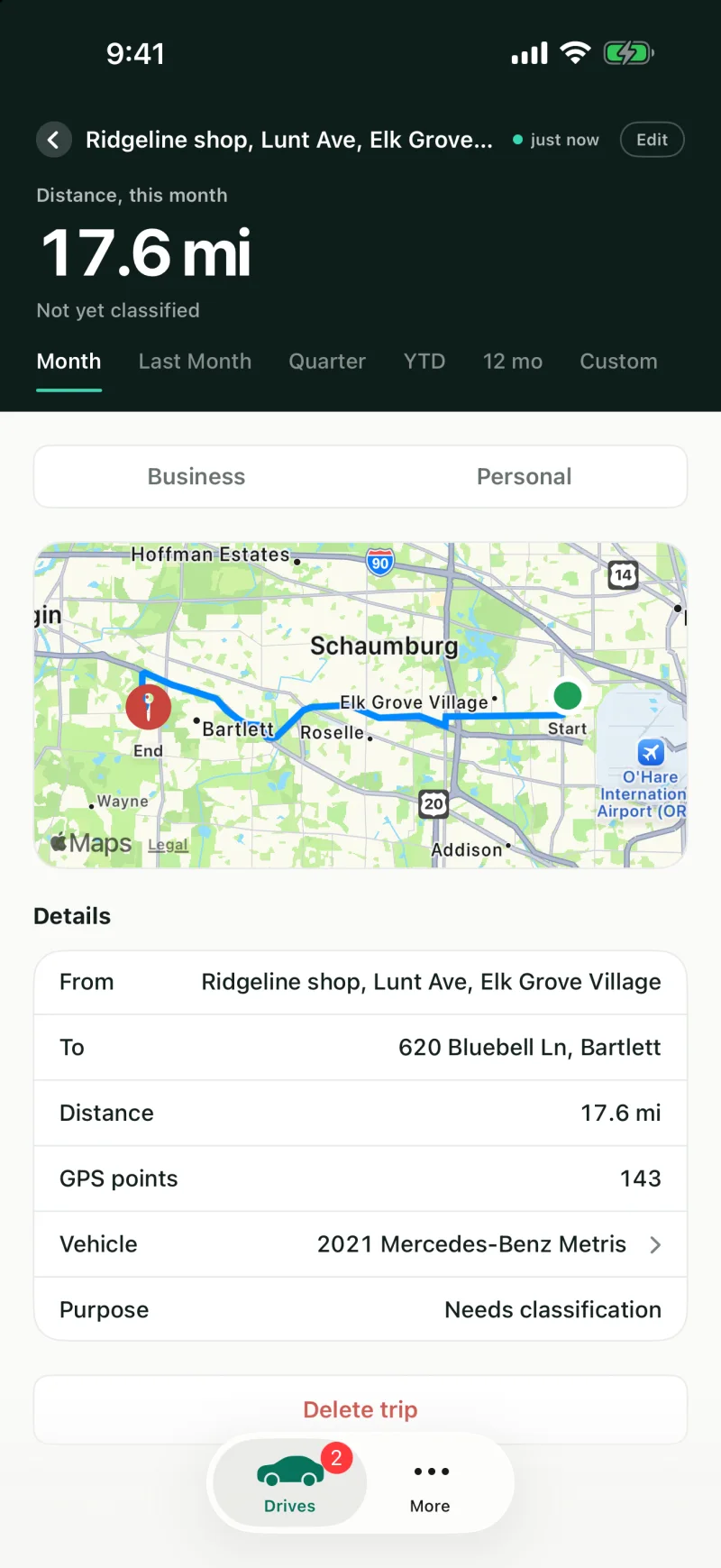
Drives log themselves
Once drivers allow location, the app notices when a drive starts and ends, and records the route, miles and time.
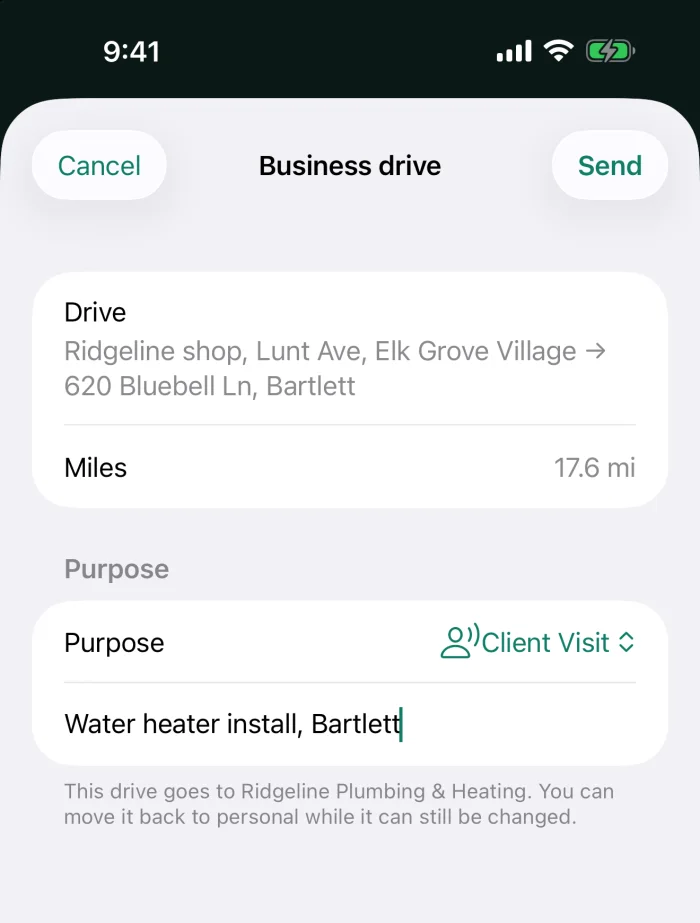
Drivers mark what's business
A purpose and an optional note for each work drive. Personal drives stay with the driver.
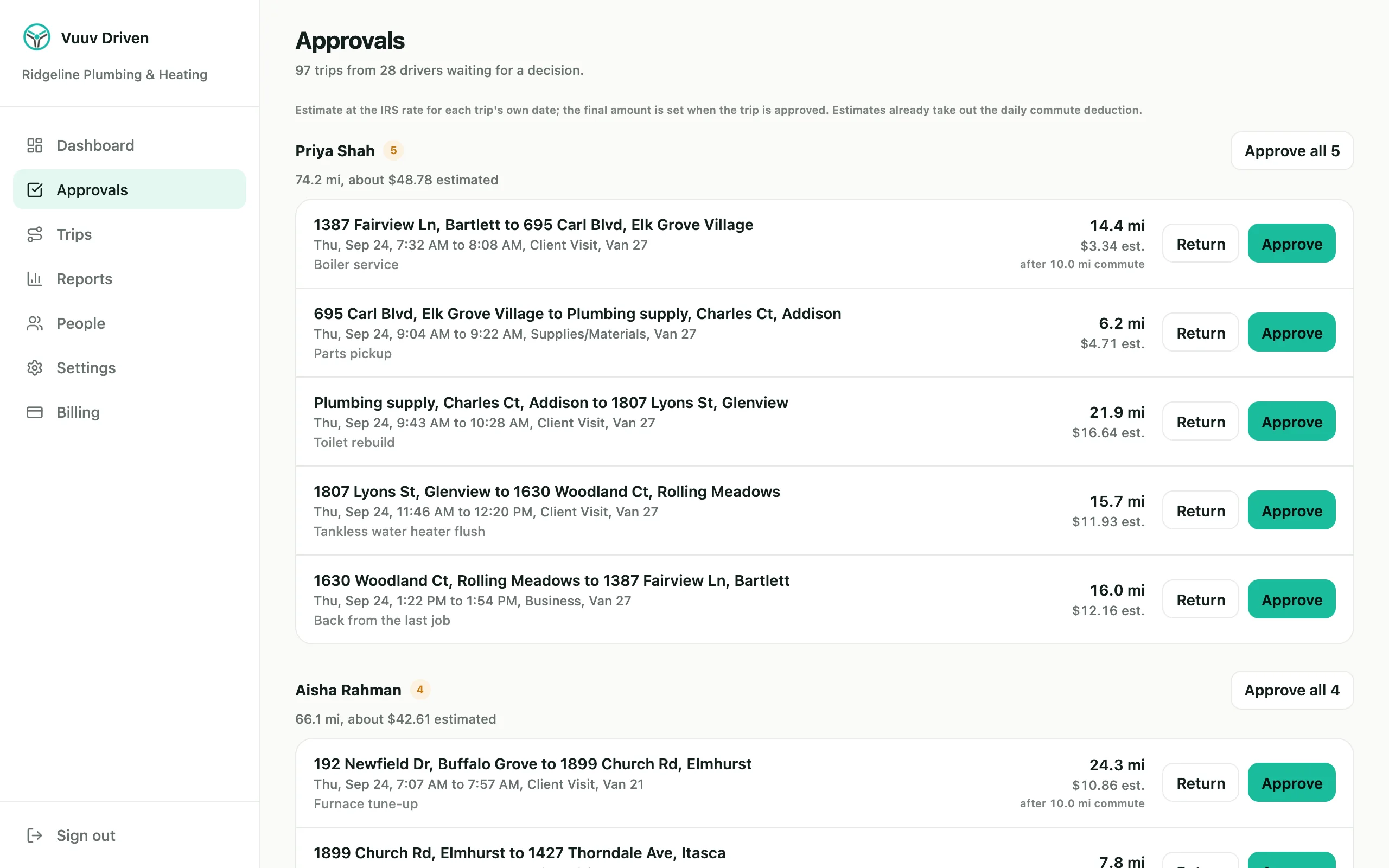
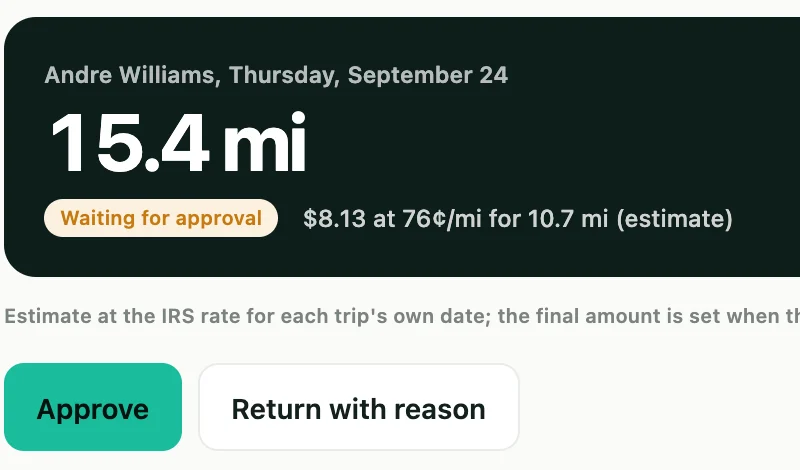
You approve, payroll gets the report
Approve each driver's drives, or send one back with a reason. The payroll report goes out on your schedule.
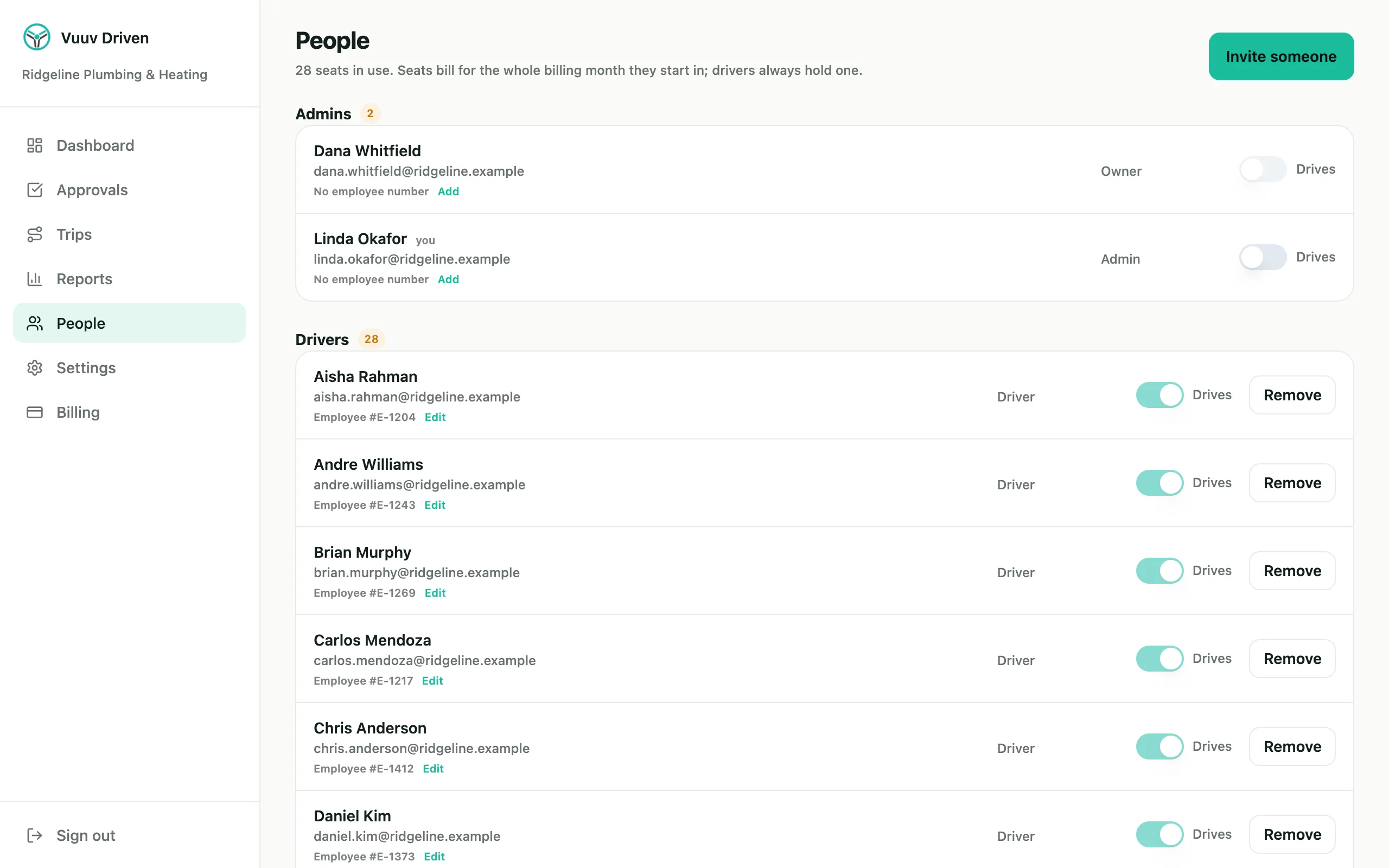
Team setup and control.
Add your company once, invite the people who drive, and decide who reviews their mileage.
- Invite by email. A driver without a Vuuv account gets a company-only login that exists for your company.
- Employee numbers. Optional for each driver, and printed on every line of the payroll report.
- Admins at no charge. Add admins to review drives and run reports. Only people you invite to drive hold a seat.
- Clean offboarding. Remove someone and their seat stops billing from the next month. The business drives they sent stay with you.
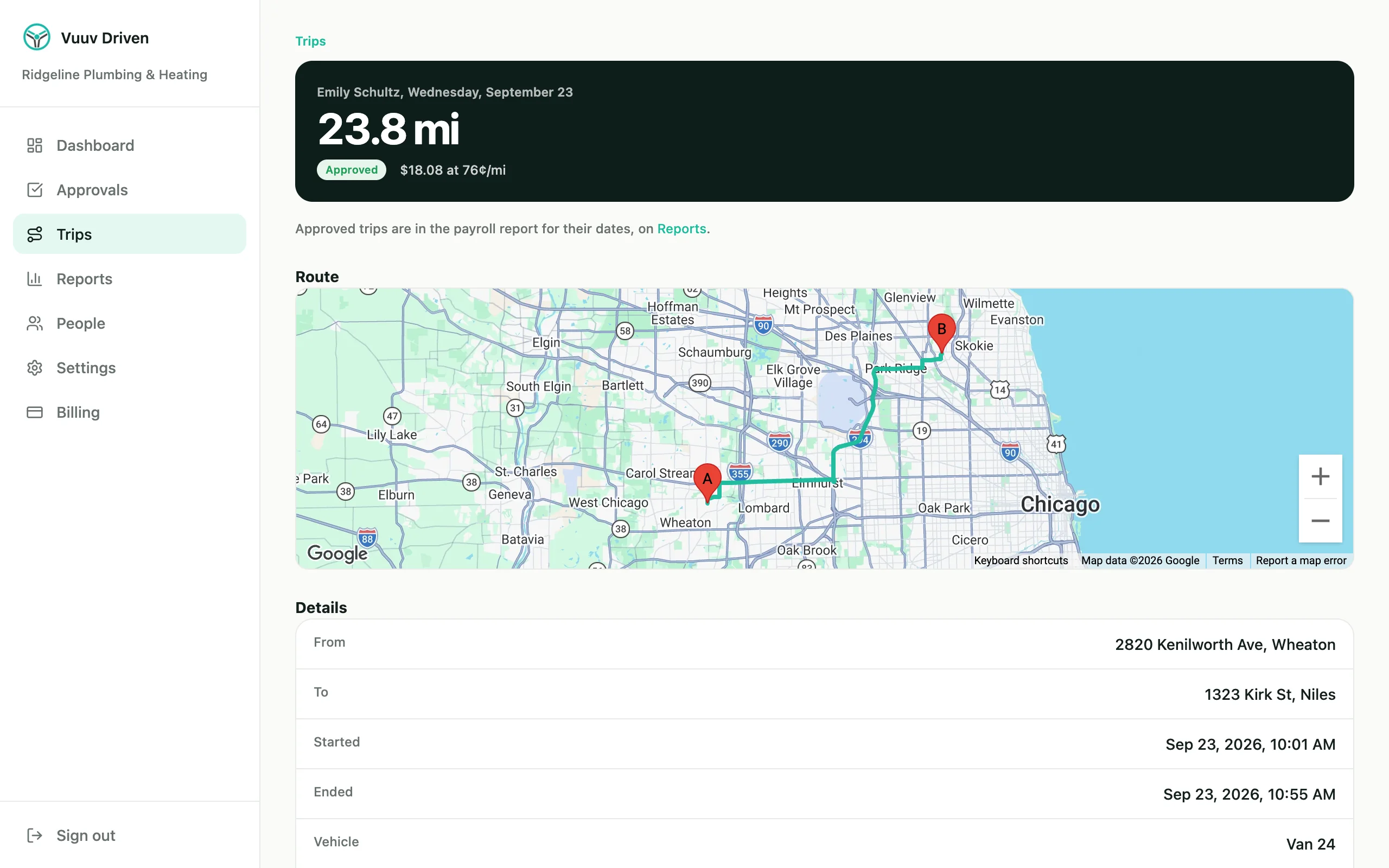
Records built for audits.
Each approved drive keeps its date, miles, start and end places and purpose, the details the IRS asks you to keep.
- The route and the times. Start and end addresses, times and miles, and each GPS-recorded drive's route on a map.
- A name on every decision. The audit trail shows who approved, returned or edited a drive, or changed a setting, and when.
- The rate for the day. Each drive uses the IRS rate for its own date, or your custom rate.
- Records that stay. Export any date range as CSV or PDF. If you cancel, admins keep read-only access.
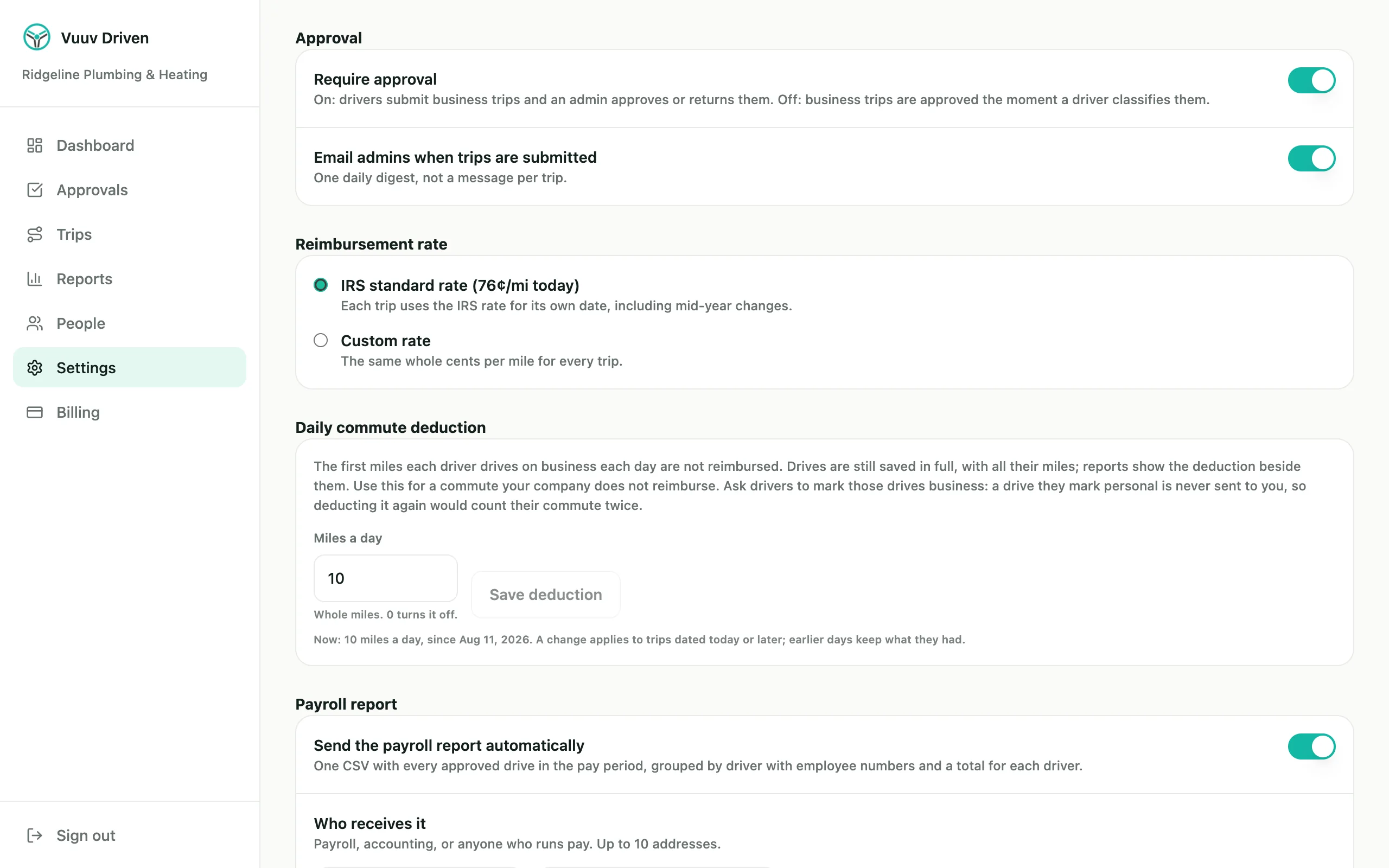
Your reimbursement policy, applied to every drive.
- IRS rate or your own. The IRS rate follows each drive's date, including the July 1, 2026 change to 76 cents.
- Commute deduction. Set a daily commute, such as 10 miles, and each driver's first 10 business miles of the day aren't reimbursed. Drives still show their full miles.
- Approval on or off. Review every business drive, or let submitted drives count as they arrive.
- Automated reporting. Select who receives the payroll report and when.
Payroll gets one file, on your schedule.
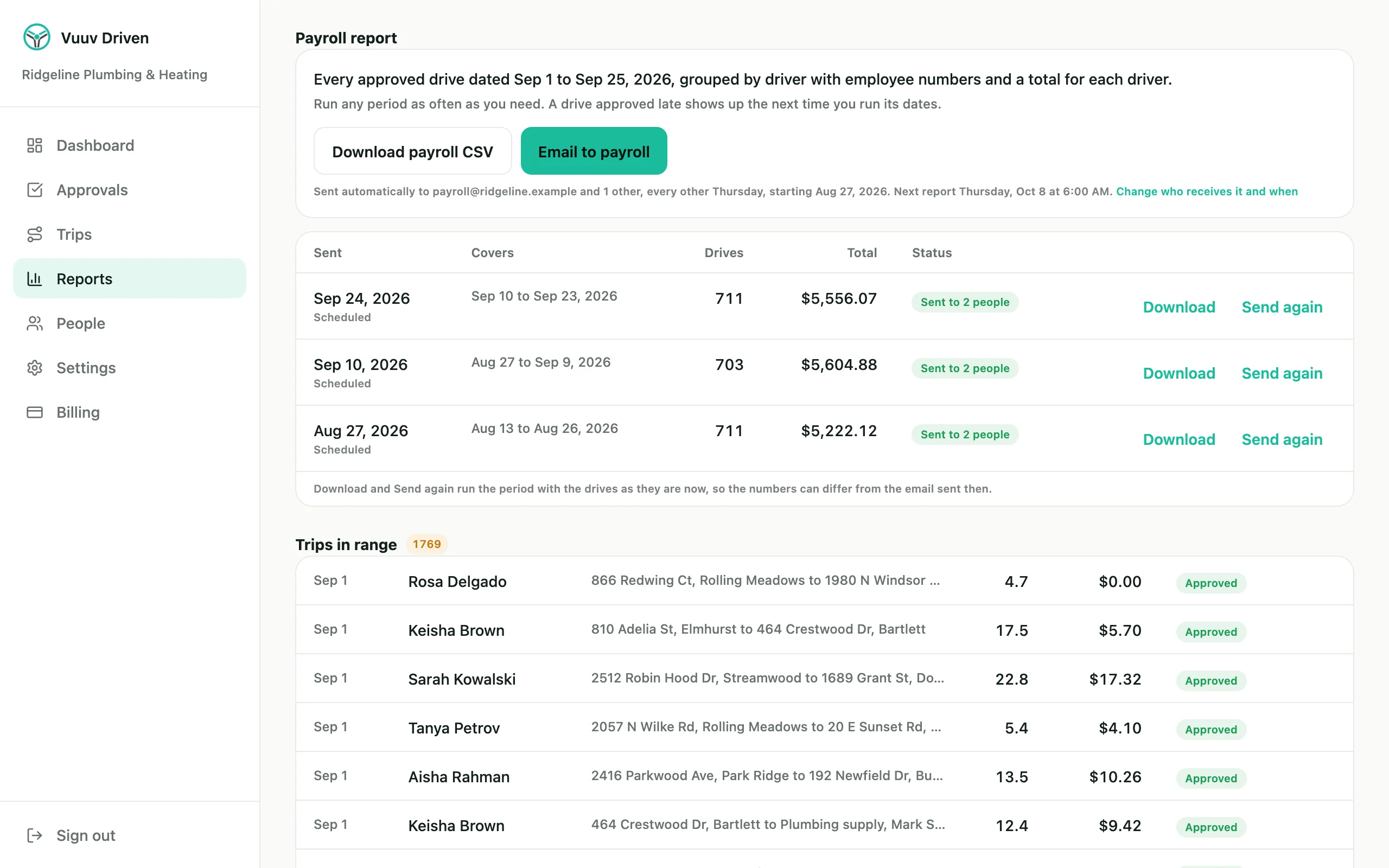
- Payroll report. Every approved drive in the pay period, grouped by driver with employee numbers and a total for each driver.
- Sent for you. Every week, every two weeks, twice a month or monthly, emailed at 6:00 AM to the people you choose.
- Run any period again. A late approval or a lost email is one click from Reports.
- Reports by driver. Drives, miles, the commute deduction and amounts for any date range, as CSV or PDF.
One price, per driver.
- 30-day free trial, and no card to start it
- Admins who don't drive are free
- A driver's seat is charged from the day you send their invite
- No minimum and no annual contract. Cancel from Billing
- Billed monthly through Stripe. Taxes, where they apply, are extra
Driving for yourself?Vuuv Driven is free for 40 GPS drives a month, or $6 per month for unlimited drives.Driven for individuals
Questions teams ask.
- Do our drivers need a Vuuv account?
- No. A driver you invite without one gets a company-only account that exists for your company, and you can remove it.
- Can we use our own rate instead of the IRS rate?
- Yes, in whole cents per mile. With the IRS rate, each drive uses the rate for its own date: 72.5 cents through June 30, 2026 and 76 cents from July 1.
- How does the commute deduction work?
- You set a daily commute in miles, say 10. Each driver's first 10 business miles of the day are not reimbursed, and every drive still shows its full miles. It applies to drives dated on or after the day you set it.
- What if a drive is approved after its payroll report went out?
- Run that pay period again from Reports. A report never changes a drive, so you can download or email any period as often as you need, with the drives as they are now.
- What happens when someone leaves?
- Remove them from People. Their phone has 24 hours to upload its last drives, the app lets them export their own log, and business drives they already sent stay with you.
- What if an invite is never accepted?
- A seat is charged from the day you send the invite. An invite nobody accepts expires after 7 days but keeps its seat until you cancel it from People, and the charge stops from the next month.
- What happens if we cancel?
- Admins keep read-only access to every report and export, with no expiry.
- Does Vuuv pay our drivers?
- No. Vuuv Driven works out each amount from your settings, and your payroll or expense process pays your drivers.
Try it with your team for 30 days.
Set up your company, invite your drivers, and see a month of reimbursement before you pay anything.