The mileage tracker that keeps your log for you.
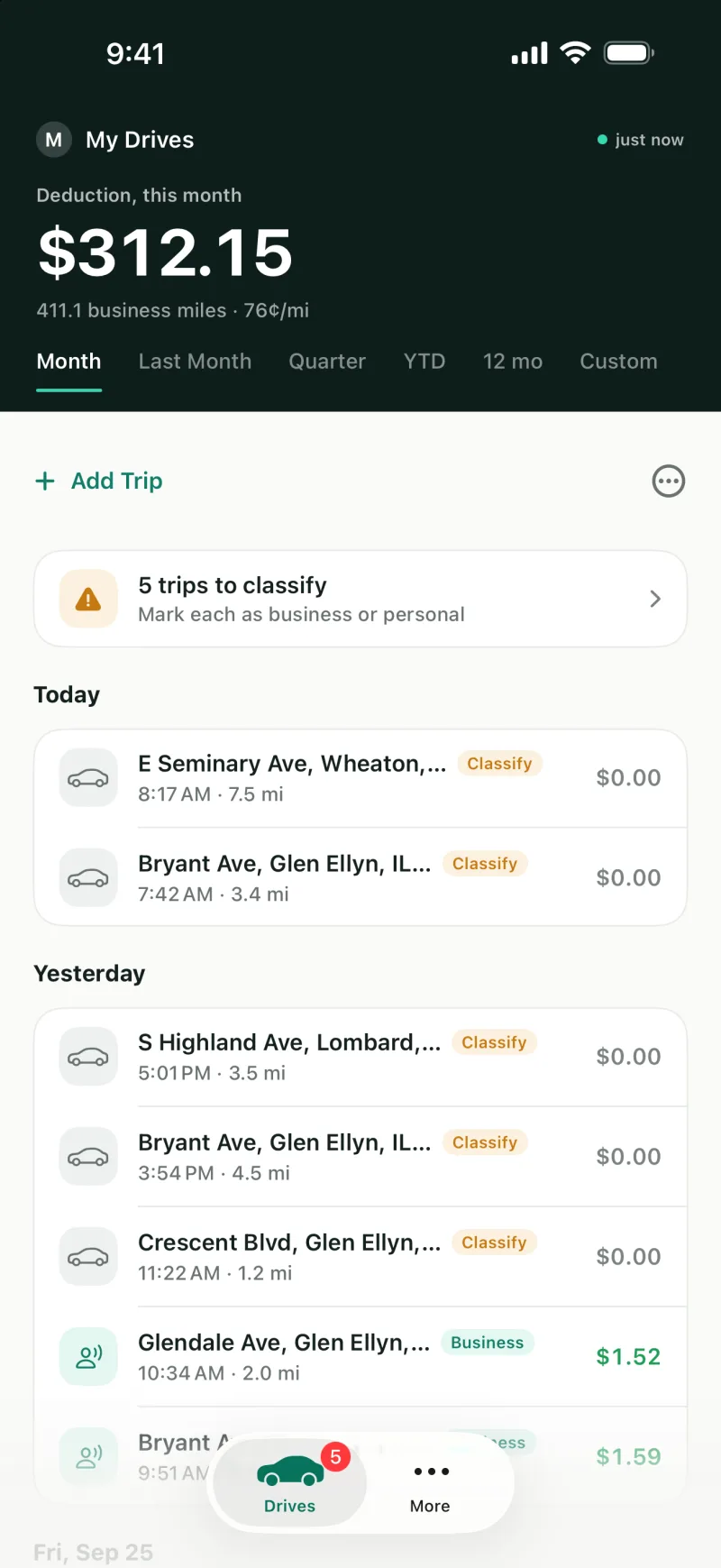
Driven records your drives on your phone. Tap business or personal when a drive ends, and at tax time your log has the date, miles, start and end places and purpose of every business drive.
Free for 40 GPS drives a month. Unlimited for $6 a month.
Drive, tap, done.
Set it up once. After that, a drive takes one tap.
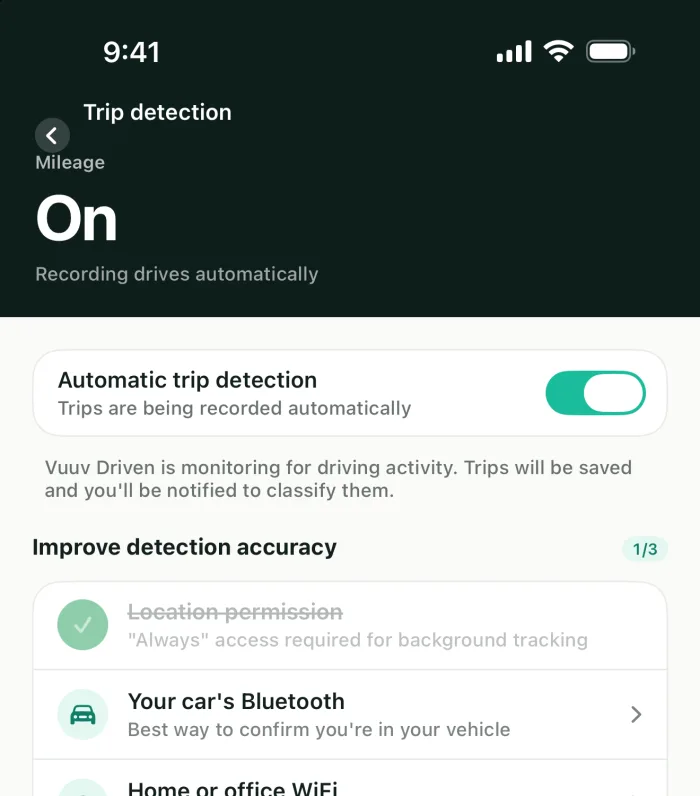
Turn on drive detection
Allow location all the time and switch detection on. The app notices when a drive starts and ends, and records the route, miles and time.
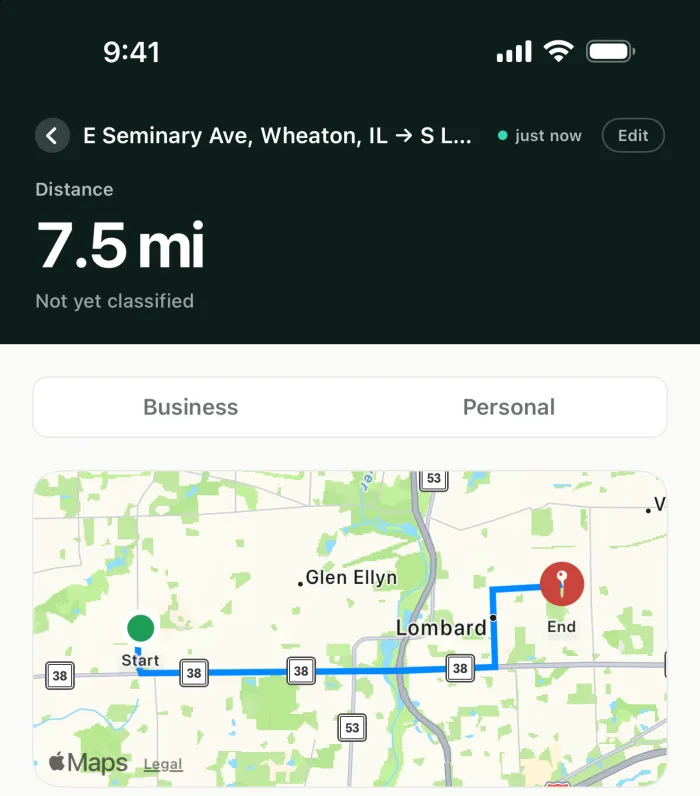
Tap business or personal
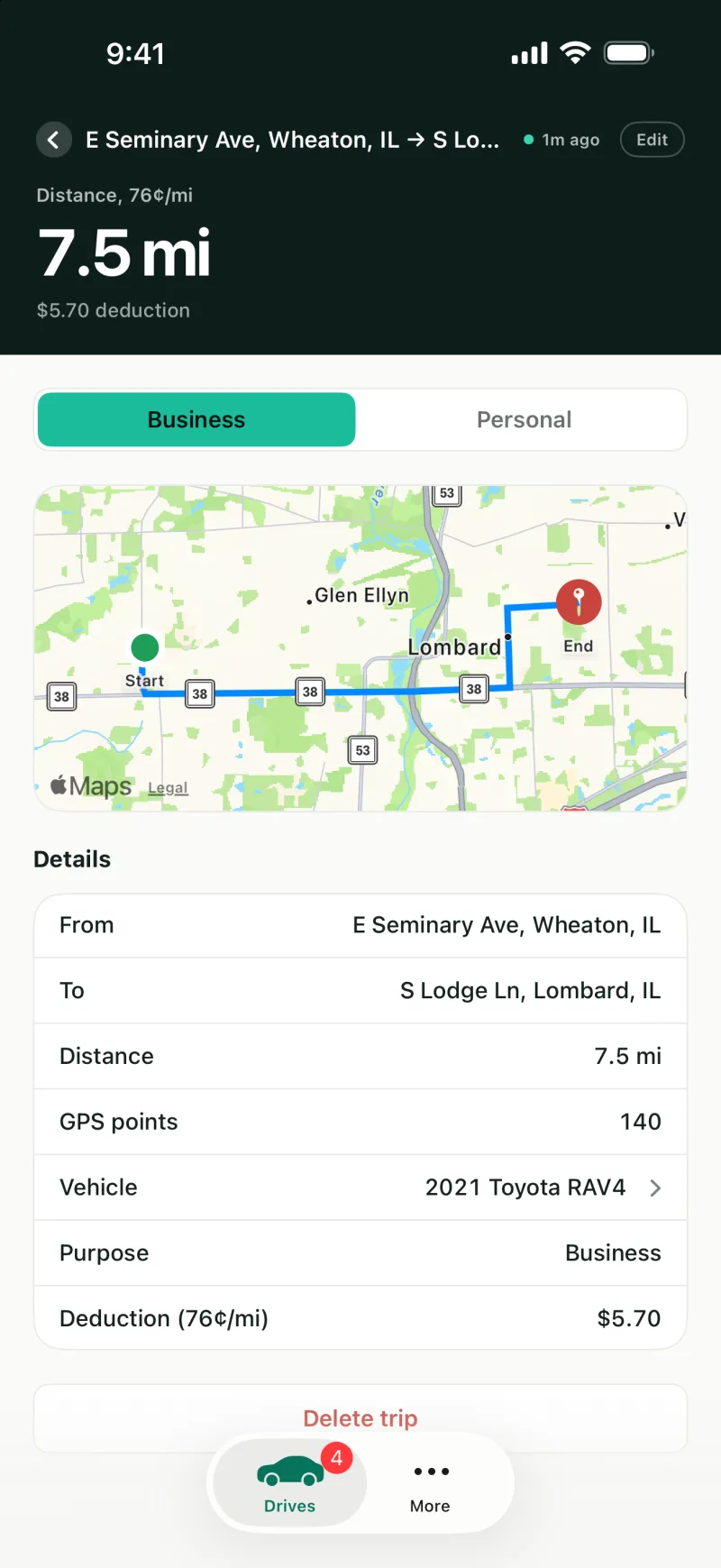
Right from the notification when a drive ends, or later from your list. Give business drives a purpose and a note.
Export your log
Download your mileage log for the year as a CSV for your tax preparer, with the miles, rate and amount for each drive.
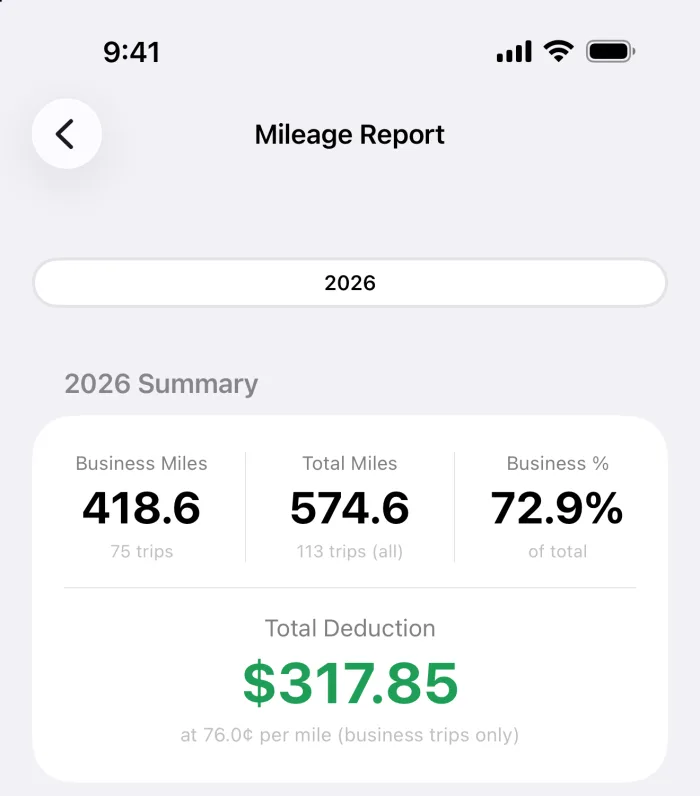
A log with what the IRS asks you to keep.
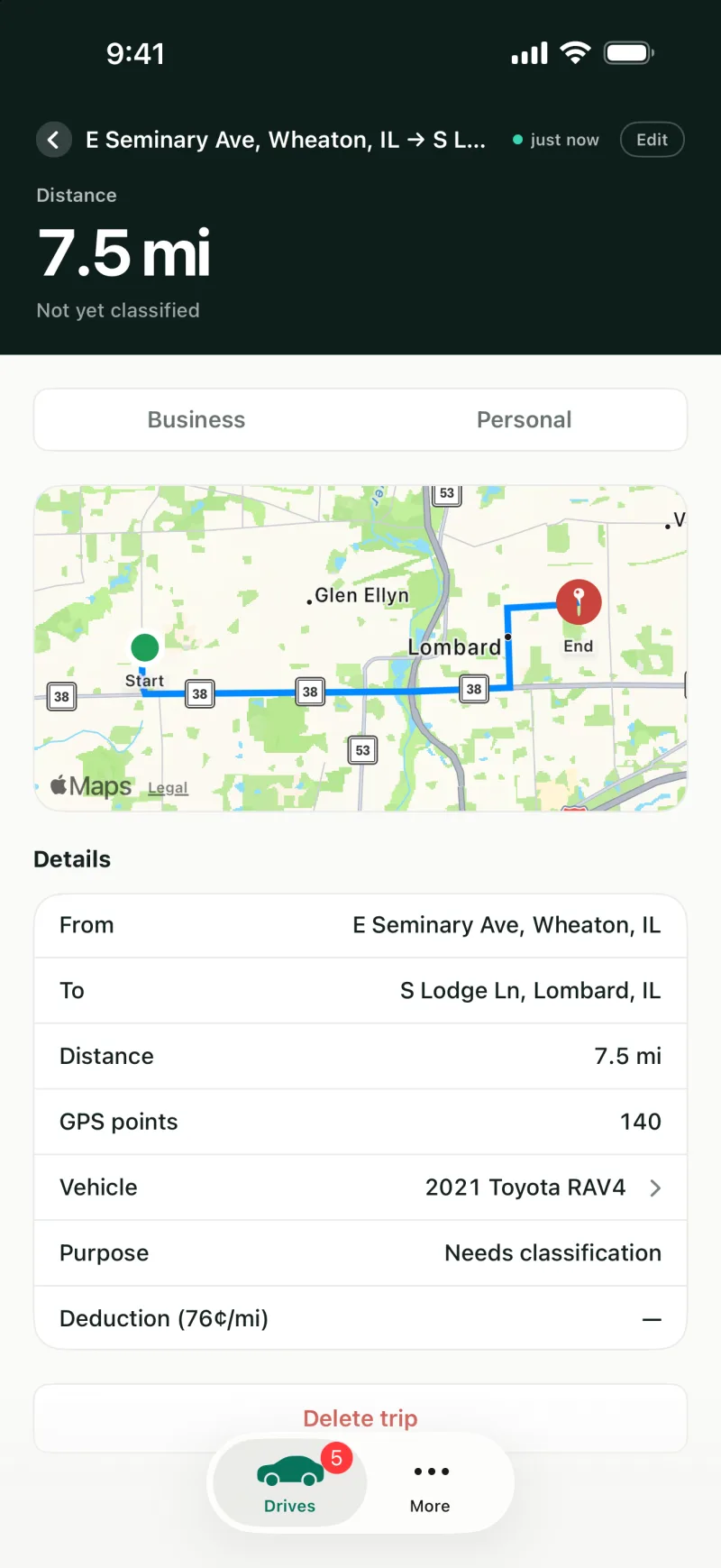
Each business drive keeps its date, miles, start and end places and purpose. GPS drives keep their route on a map.
- Every drive, recorded. Start and end addresses and times, the miles, and the route of each GPS-recorded drive.
- A purpose on every business drive. Client visit, meeting, supplies and more, with a note of your own.
- Drives you type in, too. Add a drive the phone missed, with odometer readings if you keep them.
- Deleted, not lost. Remove a drive with a reason, and bring it back from Deleted drives.
The right rate for every drive.
- The IRS rate for the drive's date. 72.5 cents a mile for business through June 30, 2026 and 76 cents from July 1. Edit a drive and it keeps its own date's rate.
- Medical and charitable drives. Mark them as such and they use the IRS medical rate (20.5 cents, then 23.5 cents from July 1) or the charitable rate (14 cents).
- Every car you drive. Keep each vehicle's drives and odometer readings apart.
- Drives that sort themselves. On Driven, routes you drive often and drives outside your work hours are marked for you.
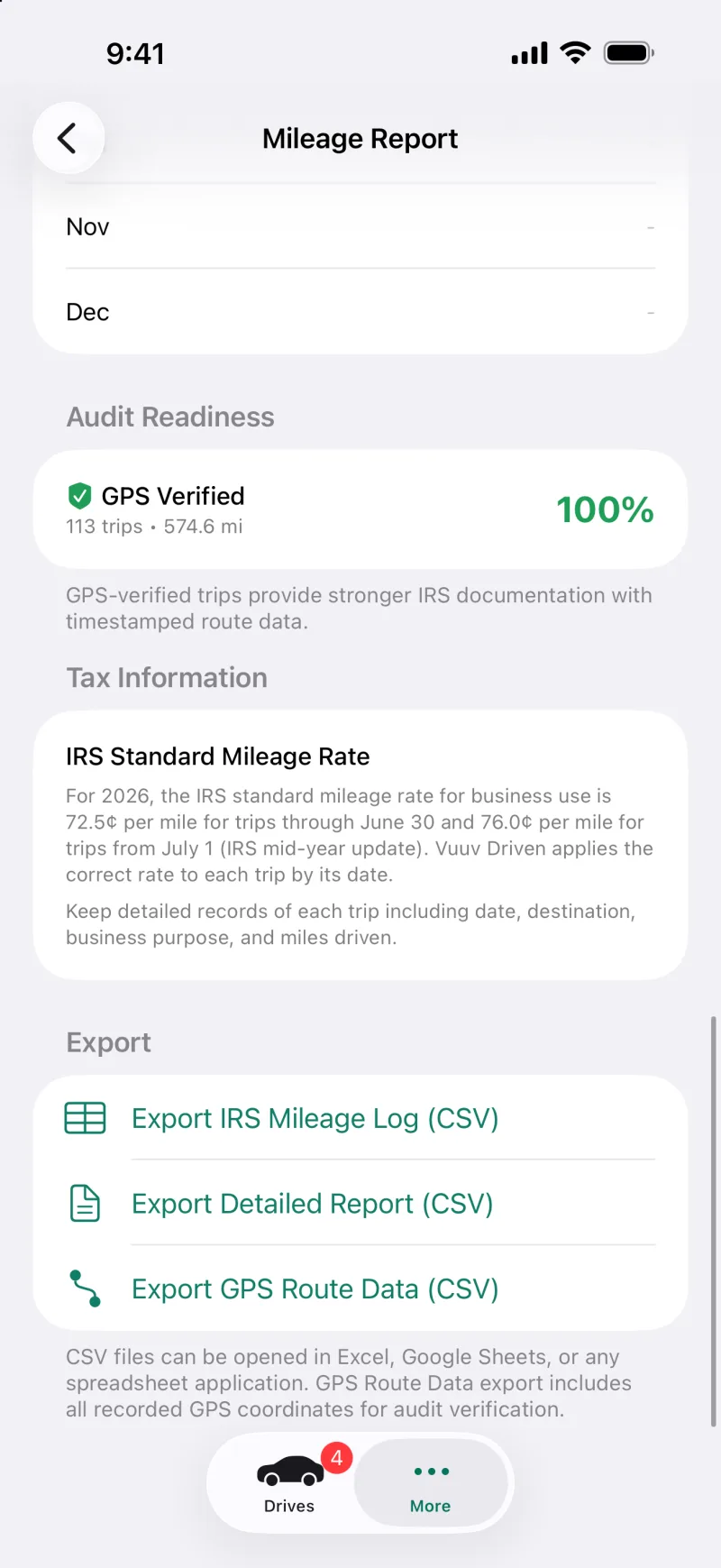
Ready for tax time.
- The IRS mileage log. A CSV with each drive's date, vehicle, start and end, purpose, miles, odometer readings, rate and amount.
- Two more exports. A detailed report, and the GPS points of every recorded route.
- On every plan. The log and the exports come with Driven Free too.
- Your drives stay yours. Personal drives stay in your own account and are never shared.
Free to start. $6 a month for unlimited.
Driven Free
- 40 GPS drives a month
- Drives you type in don't count toward them
- The IRS mileage log and exports
- Every vehicle you drive
Driven
- Unlimited GPS drives
- Frequent routes and work hours mark drives for you
- Everything in Driven Free
- Billed monthly, with no yearly contract
Reimbursing drivers at work?Driven for teams adds approvals, payroll reports and your own rate.Driven for teams
Questions people ask.
- Is Driven Free really free?
- Yes. It records 40 GPS drives a month at no charge, and drives you type in yourself don't count toward them. The count starts over each month.
- Do I have to open the app to log a drive?
- No. Once you switch on drive detection and allow location all the time, drives are recorded in the background, and you can mark each one business or personal from the notification when it ends.
- Which rate does it use?
- The IRS standard rate for each drive's date: for business, 72.5 cents a mile through June 30, 2026 and 76 cents from July 1. An individual plan uses the IRS rates only; companies can set their own rate with Driven for teams.
- What do I give my tax preparer?
- The IRS mileage log, a CSV file with every drive's date, vehicle, start and end, purpose, miles, odometer readings, rate and amount. Vuuv doesn't give tax advice, so ask your preparer which drives you can deduct.
- Can I use it for more than one car?
- Yes, on every plan. Each vehicle keeps its own drives and odometer readings, and the log can be filtered by vehicle.
- Does anyone else see my drives?
- Not on an individual plan. Your drives, personal ones included, stay in your own account. If a company adds you to Driven for teams, only the business drives you send them are shared.
Start your log today.
Free for 40 GPS drives a month. Switch detection on once, and your drives log themselves.