Jobs, dispatch and a technician app for the trades.
Grindstone puts every job on one board. The office schedules and assigns the work, each technician sees their day on their phone, and the office sees every step they take. A finished job becomes an invoice in your Vuuv books.
The office is free. Each technician is $9 a month, with 30 days free to start.
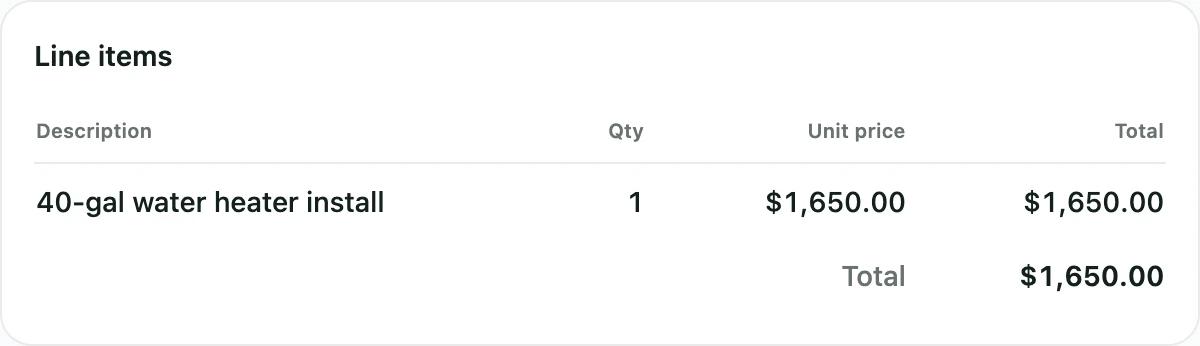
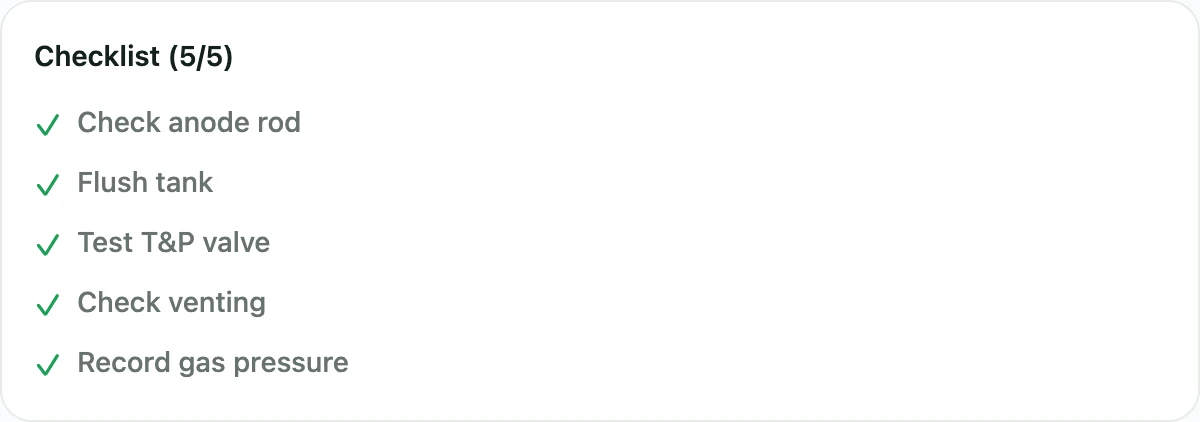
Every job, with what the crew needs.
Create a job from scratch or as a visit that repeats.
- Where and when. The site address, notes like a gate code or a dog in the yard, and the arrival window you gave the customer.
- From your price book. Add line items from your price book, and the technician sees what was quoted.
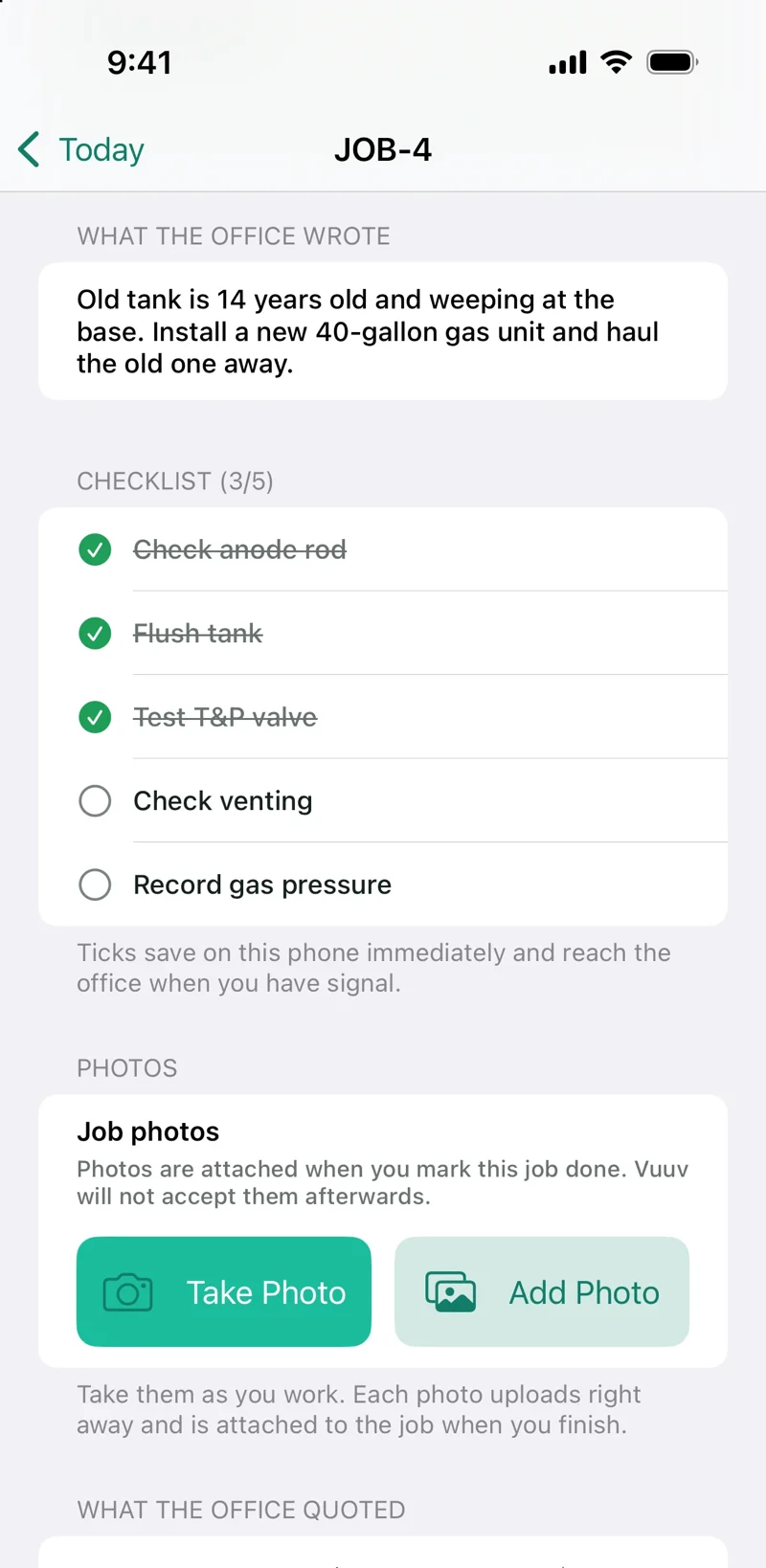
- Checklists by job type. A template fills in for each type of job, and the technician ticks it off on site.
- Repeat work. Weekly, every 2 weeks, monthly, quarterly or yearly, with visits scheduled 14 days ahead.
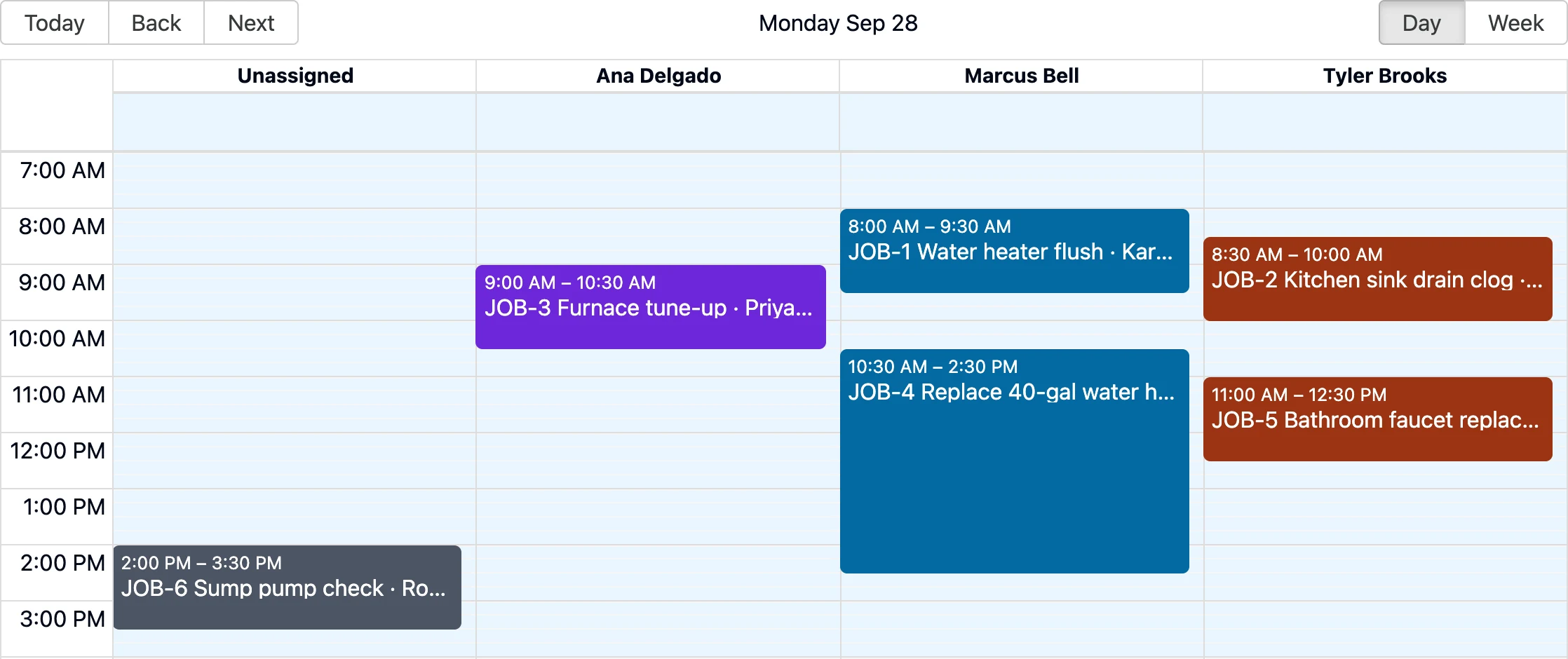
Dispatch the day on one board.
- A lane for each technician. By day or week, with unassigned work in a lane of its own.
- Drag to assign. Move a job to another lane or time, or stretch it to change how long it takes.
- Conflicts show. Double-booked jobs are flagged, and time off shows on the technician's lane.
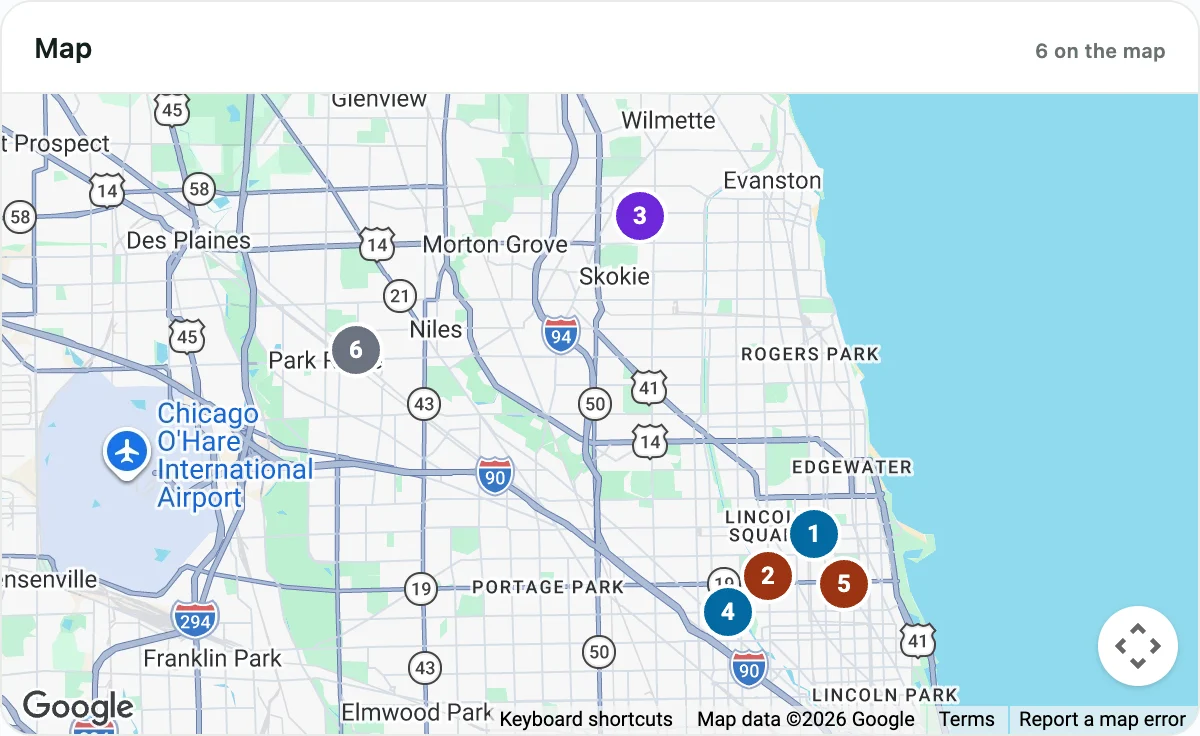
- A map of the day in Vuuv. In your Vuuv account, every job is a numbered pin in its technician's color.
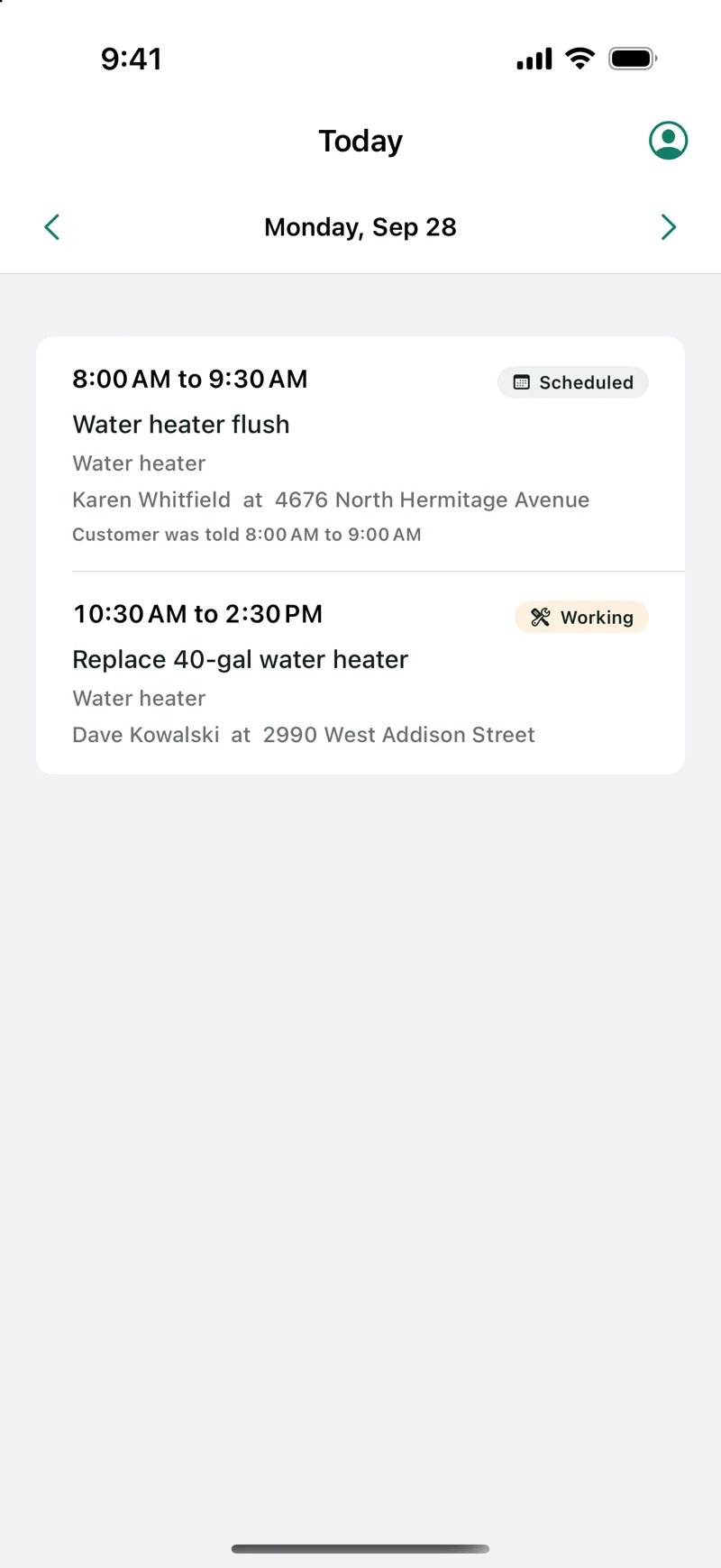
The technician's day, on their phone.
The technician app comes to the App Store soon, and invitations open that day. Each technician signs in with their own email and password and sees only the jobs you assign them, never your books or your customer list.
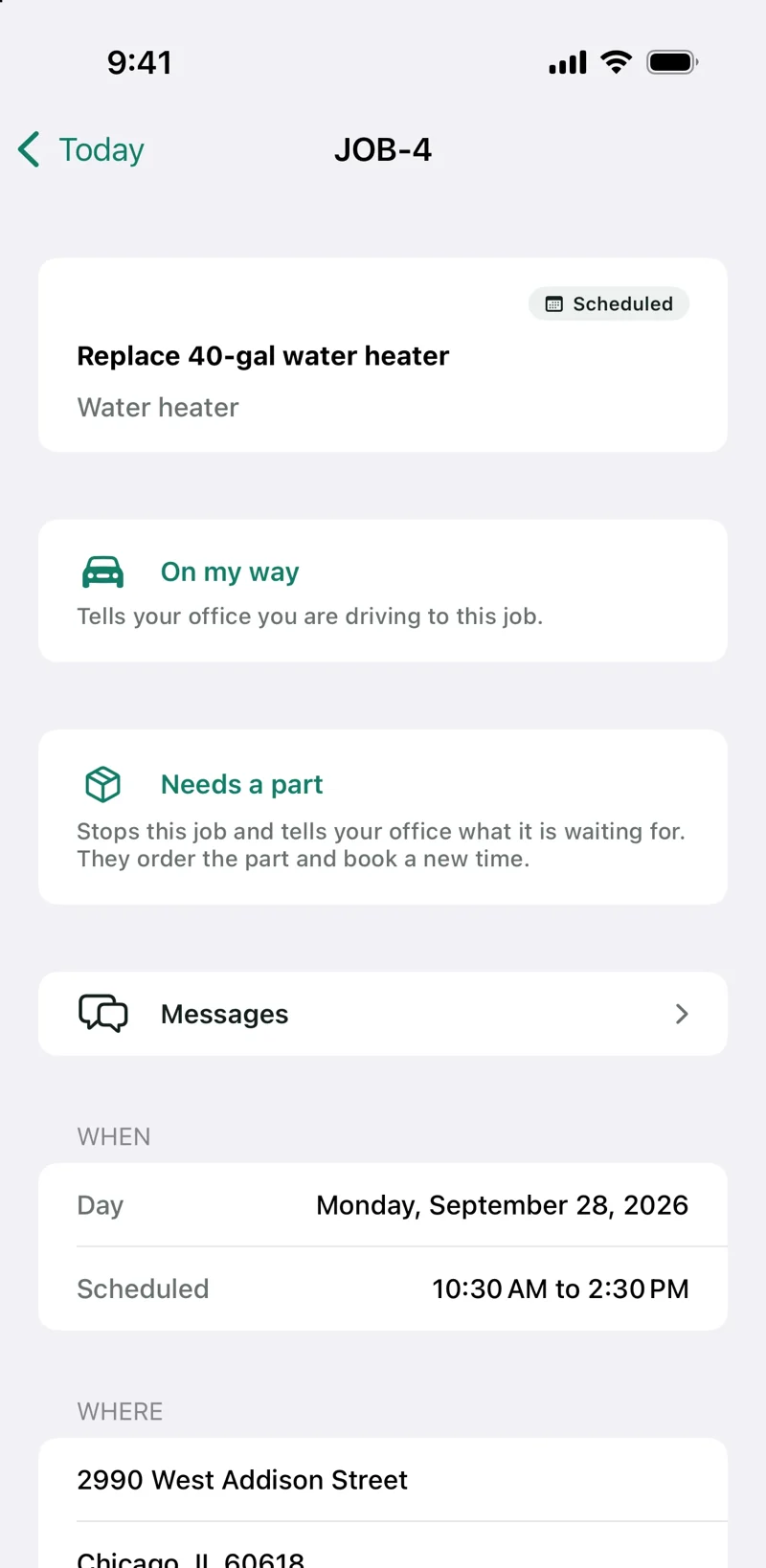
- Today's jobs. Each with the customer's address, directions in the phone's maps app, and a tap to call.
- One tap per step. On the way, arrived, done. A missing part parks the job until the office books a new time.
- Checklist, photos, notes and signature. What the office needs to close the job, captured on site.
- Weak signal is fine. Status changes, checklist ticks and messages wait on the phone and send when signal returns. Notes and photos go with the finished job, which needs a connection.
- Told about changes. A notification when a job is added, moved or removed, and a summary of the day each morning.
The office sees every step.
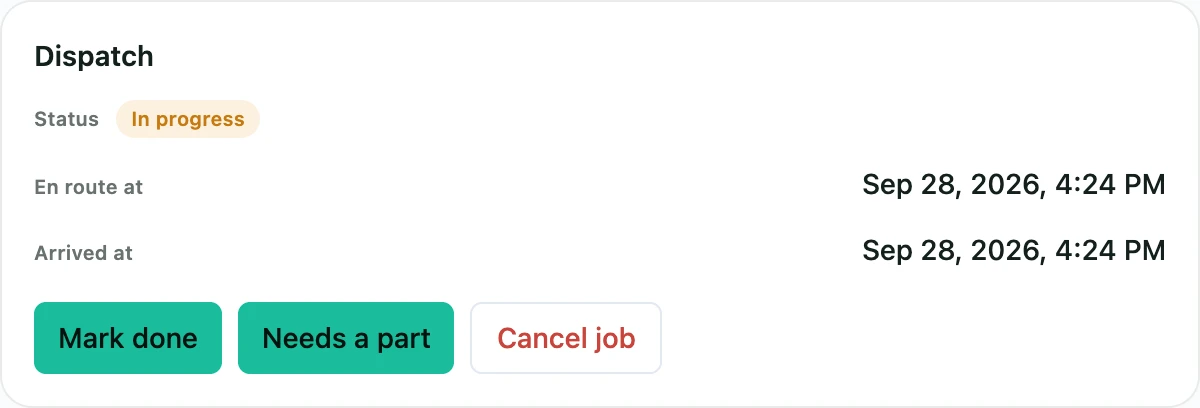
- Live status. On the way, working, waiting on parts or done, with when the technician was on the way and arrived.
- Messages on the job. The office and the technician talk in the job's own thread.
- The finished record. Notes, photos, the checklist and the customer's signature arrive together when the job is finished.
- Customers in the loop. A booking confirmation for one-off jobs and a reminder the day before, by email, and a text when the technician is on the way if you turn it on.
- Bookings and reports. Customers book from your own booking page, and reports show revenue, jobs and each technician's work for any period.
From finished job to paid invoice.
Grindstone is part of Vuuv, so the invoice, the payment and the books are the ones you already use.
Invoice in one step
A finished job becomes a regular Vuuv invoice with its line items, ready to send. Estimates and invoices of their own are in Grindstone too.
Paid on site
The technician records a cash or check payment on the spot, and the customer gets an emailed receipt when you have their email.
Or pay by link
If you take card payments through Vuuv, the technician can share the invoice's payment link, so the customer pays online.
Into your books
Payments post to your Vuuv books with the rest of the business.
Free for the office. $9 per technician.
- The owner and any number of admins, free
- Technicians free during the 30-day trial, with no card
- Add a card when the trial ends to keep them on
- After the trial, a new seat bills for the whole month it's added
Already use Vuuv?Grindstone works with any Vuuv plan. The office is free, and each technician is a $9 seat.See Vuuv plans
Questions trades ask.
- What counts as a technician seat?
- Each technician you invite is a seat, at $9 a month, starting when the invitation is sent. The owner and the admins who run the office are free, however many you have.
- How do technicians sign in?
- With their own email and password. Once invitations open, you invite each technician by email, they choose a password from the invitation, and they sign in to the app with it. Use an email that isn't already a Vuuv login. They see only the jobs you assign them.
- What happens when the trial ends?
- The office stays free. To keep your technicians, add a card and each one is $9 a month. If a payment can't be made, you have 7 days before Grindstone becomes read-only, and technicians can still finish the jobs already assigned to them.
- Can I add or remove a technician mid-month?
- Yes, once technician invitations open. During the trial, technicians are free. After it, a seat is billed for the whole month when you invite the technician, and removing them doesn't refund that month.
- Which phones does the technician app run on?
- iPad and iPhone with iOS 17 or later. The app comes to the App Store soon, and technician invitations open that day.
- Does it work without signal?
- Mostly. Status changes, checklist ticks and messages wait on the phone and send when signal returns. Notes and photos reach the office with the finished job, and finishing a job needs a connection.
- Can technicians take a card on site?
- Not with the phone itself today. If you take card payments through Vuuv, a technician can share the invoice's payment link, and any technician can record a cash or check payment. Card readers for technicians are coming.
- Does Grindstone track where my technicians are?
- No. The app never tracks where a technician is. It asks for the phone's location only to take a payment with a card reader, because Stripe requires it, and only when the owner has card readers on. The office sees when a technician was on the way and when they arrived because the technician taps each step.
Try Grindstone free for 30 days.
Add your jobs and run your office on Grindstone. The office is always free.